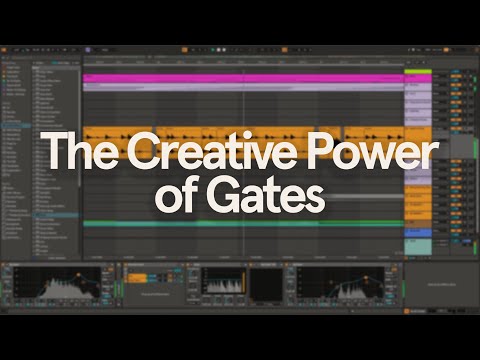
The Creative Power of Gates in Ableton Live
6 chapters
- Understanding Gate BasicsDefinitionA gate works opposite to a compressor: while a compressor reduces volume when a signal exceeds a threshold, a gate reduces or completely cuts the signal when it falls below that threshold level.Practical Uses• Cleaning up noise between vocal phrases in less acoustically controlled environments • Removing breaths and background noise from vocal recordings • Cutting bleed from cymbals or snares in kick drum microphone recordingsKey Controls• Threshold: sets the volume level a signal must exceed to pass through the gate • Floor level: determines the volume the signal is reduced to when the gate is closed • Attack time: controls how quickly the gate opens after the signal crosses the thresholdAdvanced Features• Hold time: determines how long the gate stays open even if the signal drops below threshold • Release time: controls how long it takes for the gate to return to floor level • Look ahead: introduces slight delay to respond more accurately to fast transients • Flip switch: allows auditioning of the gated-out signal • Return dial: reduces choppiness by setting difference between opening and closing levels
- Gate Side Chain for Groove and MovementConceptUsing a gate's side chain input to add rhythm and movement to a static pad sound by triggering it with external signals that contain sharp transients and groove.Setup Process• Added Sound Toy Crystallizer in parallel instances to create grain delay effects pitched up an octave and two octaves • Panned layers left and right to enhance stereo width • Added gate to pad channel and activated side chain to listen to external rhythm source • Sent drum break with sharp transients into the gate's side chain inputParameter Adjustments• Lower threshold levels allow quieter drum hits to trigger the pad • Longer release time creates smoother sounding rhythms • Increasing floor level adds back some of the pad's body • Automation of release time makes groove more dynamic and evolvingCreative Variations• Map LFO to release time for polyrhythmic grooves, preferably with non-integer rate values • Use programmed patterns instead of live drum breaks for more sequenced, robotic grooves • Create hidden gate trigger tracks by duplicating, muting, and renaming tracks • Gate Lab plugin by Audio Modern offers free presets and stereo options for sequenced gate rhythms
- Gates with Crackle and Texture LayersLayering TechniqueAdded field recording of crackle with airy top end to a low-fi loop to add texture and complement the low-fi character of drums.Gating Setup• Route kick to side chain input of gate on crackle track and tweak controls to blend with kick • Create separate gate instances for snare and high hats using parallel audio effect tracks • Stack gates in parallel arrangement to allow multiple gates to trigger independently • Decrease hold and release times for shorter samples like high hatsProcessing ChainAdded Sound Toy Superplay reverb to snare using parallel chain with dry and 100% reverb signals separated.EQ Refinement• Cut muddiness around 200 Hz in the reverb • Dip 1k to 5k range to smooth out harshness and help vocal cut through mix • These subtle adjustments create space in the mix
- Gate-Driven Reverb EffectsDynamic Reverb DecayBy placing a gate before the reverb and pushing settings to extreme for the shortest click possible, you can dramatically alter the character of the reverb decay.Modulation Methods• Map LFO to release time to evolve reverb character over time • Set LFO waveform to random for unpredictable reverb character changes with each hit • These subtle modulations add organic human touch to songsReverb Type Variations• Plate style reverb creates smooth, controlled decay when gated • Spring reverb produces rubbery and boinky sound when click is shorter, especially with Arturia's spring reverb plugin set to stereo at 100% reverb blendClassic 80s TechniquePlace gate after the reverb to cut off the reverb tail, creating a claustrophobic effect often heard in classic 80s snare sounds. Hold and release parameters shape the reverb's tail characteristics.
- Gate as Rhythmic Reverb FilterConcept ApplicationPlace gate before the reverb so only the loudest synth hits trigger the reverb, creating a rhythmic reverb effect instead of a long tail that washes out the entire loop.Sound Source ExampleUsed a loop recorded on Eminem 310 organ, processed through Chase Bliss The Delay pedal.Effect ResultCreates focused reverb bursts tied to transient peaks rather than continuous ambient wash.Creative ApplicationThis technique adds dimension to chopped up synth loops while maintaining clarity by gating reverb to rhythmically significant moments.
- Layering Electronic and Organic DrumsTrack StructureCreated electro-soul vibe with halftime drum loop, guitar, modular synth sequences from Moog Matriarch, and fluttery synth loops, all layered with pitched-down vintage drum break.Gating Approach• Applied gate to drum break pitched down to match project tempo • Routed kick to side chain input on first gated break channel • Duplicated track and applied same gating to snare • Added drum break at double tempo in third channel for additional rhythmic layerIsolation TechniqueIsolated shuffling parts of the break that happen between kick and snare hits, then applied gate to focus on transients without using side chain input, creating glitchy percussive loop.Advantages• Gated break adds raw organic touch and shuffly rhythm to mix • More flexible than manual chopping since gated layer automatically adjusts to MIDI pattern changes in kick and snare • Creates layered rhythmic depth blending programmed and sampled elements