
Ableton Automation Hacks YOU NEED TO KNOW!
7 chapters
- Why Automation Matters in Music ProductionThe ProblemEven with fancy plugins, sample packs, and music theory knowledge, beats and songs can still sound mediocre without proper automation.The SolutionAutomation is the most powerful tool for adding movement and life to your music productions.Accessing AutomationPress 'A' on your keyboard to access automations in Ableton Live.Basic ConceptChoose any parameter you want to automate, such as filter cutoff, and automation lines will appear where you can add points to create movement over time.
- Quick Automation Shape TechniquesSpeed MethodFor fast automation creation, highlight the part you want to automate, right-click, and insert the shape you want.Shape Adjustment• Hover over the selection to see squares that allow quick editing • Drag squares to adjust automation length, intensity, and curvePractical ExampleUse this method to quickly create filter opening automations or other parameter changes without manually placing points.EfficiencyThis technique is ideal for producers who want to make automations as quickly as possible.
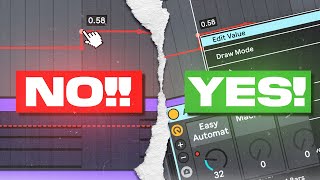
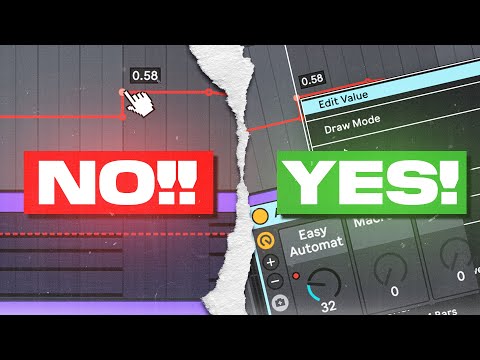
- Automating Frequency and Millisecond ParametersThe ChallengeAutomating frequency or millisecond parameters is difficult because these have wide ranges, requiring extensive zooming and precise adjustments.Real-World ExampleUsing Shaper Box to add movement to chord sequences by creating custom frequency curves results in more dynamic and interesting sounds.The HackRight-click on an automation point, select 'Edit Value', and type the exact value you want instead of zooming and adjusting manually.Time SavingThis method eliminates the need for excessive zooming and allows precise value entry in seconds.
- Using Macros to Control Automation RangeSetup Process• Group the plugin using Command+G (Mac) or Control+G (Windows) • Right-click the parameter you want to automate and map it to a macro • Access the map menu to set minimum and maximum valuesDefine BoundariesSet the slowest and fastest parameter values you want to allow, ensuring automation never exceeds these limits.Safer AutomationThis approach creates a safer way to automate parameters with wide ranges by constraining them within your chosen limits.Practical UsePrevents accidental extreme values and makes automation more controllable for parameters like tempo or frequency.
- Copying and Pasting Automation Across ParametersThe TechniqueClick the plus icon to add a new automation lane, highlight the automation you want to copy, and paste it to another lane.Universal Application• Works with every plugin and parameter • Compatible with all tracks and automation lanes • Applies to any knob or control in Ableton LiveTime EfficiencyEliminates the need to recreate similar automations from scratch across multiple parameters.Example UseCopy a filter cutoff automation pattern and apply it to other parameters for cohesive, synchronized movement.
- Recording and Managing Multiple Automation TakesThe ProblemRecording automation with a MIDI controller on top of existing MIDI data causes the automation to override the original melody.The SolutionClick the plus button next to the automation lane to record different takes and sets of automations separately.Multiple TakesThis allows you to capture different versions of automation without affecting or overwriting your existing MIDI tracks.FlexibilityPerfect for performers and producers who want to experiment with multiple automation variations.
- Simplifying Complex Automation EnvelopesThe ChallengeComplex recorded automations create many points that are difficult and time-consuming to adjust individually.Simplify ToolHighlight the automation section you want to modify, right-click, and select 'Simplify Envelope' to reduce the number of points.Universal Scope• Works in Arrangement view • Compatible with MIDI clips and audio clips • Applies to MP envelopes for pitch bends and glidesPractical ApplicationMakes it easier to manage automations and create effects like pitch bends and glides without excessive point management.