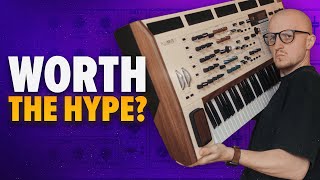
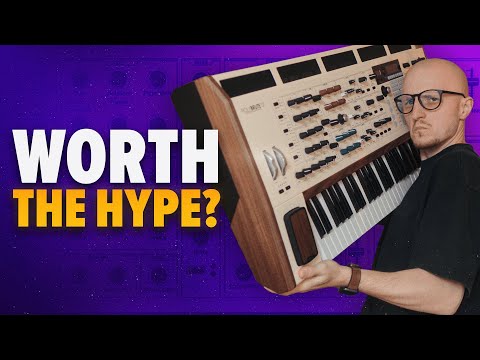
Is This $4000 Analog Synth Worth The Hype? Arturia PolyBrute 12
7 capitulos
- Analog vs Digital Synths and PolyBrute OverviewKey DifferencesAnalog synths have superior sound quality but lack instant preset recall and multiple synth engine options that digital synths provide. Digital synths offer countless modulation options and preset menus, while analog synths have limited preset options.The SolutionArturia PolyBrute 12 is an analog synth that breaks traditional rules by combining analog sound with digital convenience features, though it comes at a high price point.Video ApproachRather than providing a lengthy in-depth review, this video focuses on showcasing the PolyBrute 12's most unique and distinctive features.First FeatureThe plugin connectivity system is highlighted as the first unique feature to be explored in detail.
- Plugin Integration and ControlPlugin ConnectionThe PolyBrute Connect plugin allows users to open a session made entirely with PolyBrute sounds in a DAW and link the plugin directly to the hardware synth for instant sound access.Bidirectional Sync• Changes made in the plugin automatically mirror on the physical synth • Changes made on the synth automatically appear in the plugin • Automations are recorded within the DAWPerformance SpeedOnce the plugin is loaded and connected, switching between presets and searching for sounds is surprisingly fast, providing minimal latency.Multi-Instance FlexibilityUsers can create unlimited instances of the plugin and recall every preset in every single project, providing unprecedented flexibility for song arrangements.
- Morph Knob and Sound MorphingBasic FunctionThe morph knob allows quick tweaking of many parameters at once by blending between two different sound states.Sound GenerationBeyond parameter tweaking, the morph knob can function as a sound generator by loading any preset from the library as the morph target and blending between the original sound and the selected preset.Preset Browsing ChallengeBrowsing through presets using the morph knob's utility options is not ideal, making manual preset selection a better approach for creating intentional sound morphs.Creative Workflow• Copy sound A to B to start with identical sounds • Edit the B sound by adjusting LFO amount and rate • Modify filter envelopes and other parameters on the B sound • Morph between the two sounds to create smooth transitions
- Advanced Modulation with Brute FactorWhat It DoesBrute Factor is a programmable modulation tool similar to the morph knob but allows programming of completely different parameters and multiple parameters simultaneously, functioning as a physical interface for complex modulations.Parameters Control• Can modulate LFO rate and amount simultaneously • Can control Steiner filter parameters • Can adjust metallizer parameters • Single pressing action controls all assigned parametersUsage CautionThe brute factor requires careful handling as it can produce powerful sound transformations. Excessive use can dramatically alter the character of a sound, turning analog synth tones into digital-sounding ones.Sound ExplorationBy adjusting brute factor settings and using the physical control, users can transition from traditional analog brass pad sounds to more modern digital-sounding leads with minimal effort.
- Creating Digital Sounds on Analog HardwareAnalog to DigitalIt is surprisingly easy to transform the PolyBrute 12 from sounding like a traditional analog synth into a digital-sounding instrument by manipulating specific parameters and effects.Technical Steps• Start with initialized preset featuring two oscillators in mono mode • Remove analog drift by turning on oscillator sync • Add FM modulation and wave shaping using metallizer • Adjust metallizer settings to affect all waveforms • Route signal through both filters and increase feedback with brute factorSound CharacterThe resulting sound already achieves a distinctly digital character. Further modulation can be applied using mod envelope or LFO assignments to create evolving lead sounds.Final ResultBy combining these techniques, users can create cool lead sounds that demonstrate the synth's versatility in producing sounds far beyond traditional analog characteristics.
- Keyboard Features and Warm-UpWarm-Up RequirementAs an analog instrument, the PolyBrute 12 requires a warm-up period before playing to ensure proper sound stability and tuning accuracy.Optimal PracticeIt is better to turn on the synth before a day off when you know you will have time to play with it, allowing adequate warm-up time rather than waiting for warm-up during a session.Full Touch Keyboard• The keyboard functions like an MP controller with full touch sensitivity • Allows programming of custom functions like pitch wheel alternatives • Supports aftertouch pressure sensitivity • Enables performance techniques without external controllersAftertouch ControlAftertouch pressure on the keyboard can be assigned to control effects like reverb amount, allowing dynamic effect manipulation during performance without DAW-based automation.
- Drawbacks and Software ControlLearning CurveUsing the PolyBrute 12 without a dedicated software controller has a steeper learning curve than expected, as basic parameter adjustments require menu diving on the hardware.Interface Challenges• Simple tasks like lowering an oscillator's octave require more menu navigation than software equivalents • Parameters are less immediately accessible on hardware than in software interfaces • One-click operations in software may require multiple steps on the synthModulation PreferenceFor mod matrix operations, using the physical synth interface is actually preferred over the software plugin interface, making the plugin less essential for modulation work.Overall ValueDespite the drawbacks, the combination of analog sound quality with digital convenience options and advanced modulation capabilities makes the PolyBrute 12 a powerful tool that can outperform software plugins in many scenarios.