Perfect Ear Candies That Matter
11 chapters
- Answering Steps and Lead SoundsConceptAnswering steps is a technique where you use empty space in a musical bar to create a response to a lead sound.ImplementationAdd an aggressive sound (like those from MFA device preset packs) to create interlocked play between the main lead and the answering candy.EffectThe combination of lead sound and answering response significantly changes the overall impact and interest of the loop.TakeawayUsing the empty space in the first quarter of the bar allows you to create dynamic interplay without overcomplicating the arrangement.
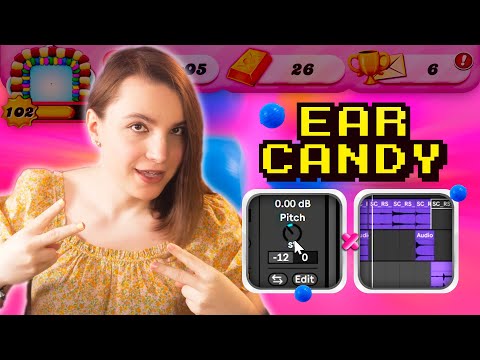
- Formant Candies in Vocal LayersProblem IdentifiedVocal remixes often lack playfulness when using only a pitched version of the original vocal on top.Solution• Take the same vocal and pitch it down 12 semitones • Play with the formant pant positioning (left and right) • Combine pitched layers to emphasize specific emotional wordsAudio ResultThe formant candy creates emphasis on emotion, particularly effective at the end of vocal phrases.BenefitThis technique adds depth and emotional resonance without making the vocal sound unnatural.
- Elephants Effect with SamplerSetupStart with a loop containing an amine part and main vocalist scene, leaving a bit of empty space.Technique• Use Ableton's Sampler device with a simple percussion sample • Play with the length parameter by holding and clicking the loop • Automate the length parameter to create the effectAdvanced MethodPlay a long note, automate the length parameter, and add effects on top for an ambient lead candy.ResultCreates a popular, cool ambient sound that fills up empty space in the track.
- Stripping Down for Ear Candy ClarityChallengeUsing busy sounds together with other track elements can make them too busy to function as ear candy.SolutionStrip down the track and leave one big element alone to create the ear candy effect.ExampleA sound with huge vibe works better as ear candy when everything else is removed, making it stand out clearly.PrincipleEar candy effectiveness depends on contrast and space; removing competing elements makes the candy more impactful.
- Vocal Throws with Reverb and DelayDefinitionVocal throws involve taking a piece or word at the end of a vocal acapella and sending it into reverb or delay as an ambient sound.Setup• Use an echo or delay device (such as 1/8 dotted delay) • Set high feedback for sustained delay • Send the vocal to the delay using automationRefinementAutomate the send around the specific word you want to throw, and use sidechain compression on the delay to duck it while the vocal sings.PolishIncrease the release for smoother delay influx, and adjust initial volume to make the throw pop in the mix.
- Ad-Libs and Answering VocalsAd-Libs ExplainedAd-libs are random words, us, or os thrown in to fill up the endings and backs of vocal sections.Answering VocalsDifferent versions of the original vocal used to flavor up the track and create responses to main vocal lines.Processing Technique• Chop ad-libs from the original vocals • Apply EQ and overdrive to change the mood • Push the processing to significantly alter the characterExamplesUse simple sounds like 'ah' or 'o' as ad-libs to support the lead and create atmospheric responses.
- Shimmer Sounds for Busy MixesPurposeShimmer sounds are high-pitched, shimmery sounds used to add character to busy mixes where traditional ear candies don't fit.Creation• Use a basic synth patch with really high pitch • Create very shimmery scene sounds • Ensure the sound can cut through dense percussionCautionShimmer sounds can easily overwhelm the mix, so use them very sparsely and carefully.ApplicationIn busy electronic music with heavy percussion, shimmers add subtle character without competing for space.
- Responsive Percussions and Fill TechniquesConceptResponsive percussions are percussion fills that answer the main groove, adding playfulness and movement.Layering Method• Use bongos at the end of percussion phrases as answering fills • Cut down samples from different percussion loops • Place them in the same reverb room to unify the soundMixing TechniqueRemove parts of the main percussion when introducing an answering or fill percussion to avoid overcrowding the mix.EnhancementAdd ambient hits with claps and other percussion elements to further emphasize the playfulness of the track.
- Automating Return Channels for AmbienceMethodPut ambient effects like shimmery reverbs on return channels and automate the send amount to specific parts.Implementation• Select elements to send to the return channel • Automate the send during transitions and hi-hat parts • Gradually increase send amount to make elements more ambientEffectCreates smooth transitions as elements become progressively more ambient and blend together.FlexibilityThis trick works with delays, reverbs, or any time-based effects you prefer using.
- Reverse Transitions and Sound DesignReverse TechniqueRender a sound in its reversed version and blend it with the regular version to create smooth transitions.Application• Use with ambient vocals for folkloric transitions • Apply to white noise for texture transitions • Use with percussion sounds like cymbalsProcessing• Grab a crash cymbal and reverse it • Smooth the transient with effects • Add reverb or ping pong delay for lingering effectVersatilityThe reverse technique works with virtually any sound and creates sophisticated transitions.
- Sample Instruments for Creative Ear CandiesOverviewSample-based instruments like Arcade are often overlooked by electronic music producers but offer unique ear candy possibilities.Features• Arcade offers tons of different creative sample-based instruments • Now includes arpeggiator line for playing samples as instruments • Creates unique sounds impossible to achieve with regular synthesizersExamplePlaying with jiggling samples produces organic, ambient ear candy that stands out from typical synth sounds.ImpactSample instruments add significant ambience and uniqueness to tracks that regular synthesizers cannot provide.