Ableton Saturation HACKS That Make Your Bass FILTHY
Why Ableton Live stock tools and some cheap Max for life devices are a much better option
4 chapitres
- Introduction to Bass SaturationThe ProblemMany bass producers rely on dozens of plugins promising godly results, but most are just old console emulations or basic saturators in fancy skinsThe SolutionAbleton Live stock tools and cheap Max for Life devices offer better alternatives for achieving the desired bass characterWhy It MattersSaturation is a key ingredient that can make or break your track and is essential for getting that approval from listenersWhat's CoveredThe video demonstrates practical saturation techniques using Ableton's built-in tools rather than relying on expensive third-party plugins
- Two Main Approaches to Signal DrivingDynamics ReductionThe first approach is driving the signal enough to reduce dynamics and add loudness straight into clippingCharacter AdditionThe second approach, used heavily in this video, adds character or completely changes the sound of your bassAuto Filter Method• Using Auto Filter with a comp curve and frequency adjustment to create character • Adding drive to the Auto Filter for additional saturation • Clipping the Auto Filter by adding level before it for a basic saturator alternativeAutomation PotentialThe frequency knob and tone control parameters are ideal candidates for automation to create dynamic variations
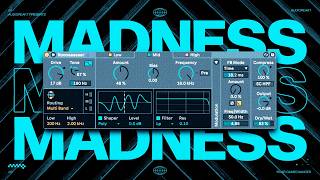
- Wave Shaper Limitations and Roar PossibilitiesWave Shaper IssuesAbleton's default Wave Shaper works well but the shaping part is very limited and potentially confusing for usersRoar's Versatility• Use Roar as a multi-band finishing touch with random shaper selections • Full wave rectifier and half wave rectifier are best friends for making disrespectful sounds • Use it as a Kilo Hearts disperser alternative with the new filter and automated dry/wet parametersAdvanced Roar Techniques• Feedback mode for adding metallic touch to sounds • Feedback delay mode for creating cool accents and effects on vocals • Envelope mapped to resonance for dynamic shapingCreative ApplicationsRoar offers enough basic options to unlock advanced saturation possibilities with proper automation and parameter mapping
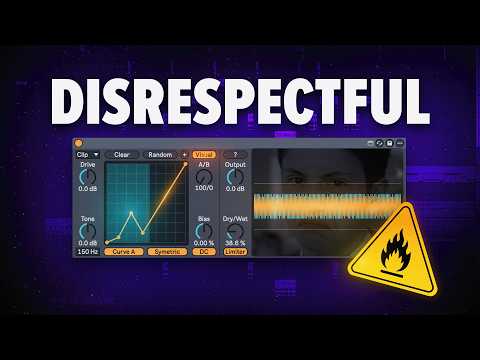
- BS Wave Shaper and Advanced Max for Live ToolsCustom Curve Drawing• BS Wave Shaper allows you to draw your own custom saturation curves • Switch between asymmetric and symmetric curve modes • Mix between two different curve settings (A and B) for hybrid saturationSpectral DistortionSpectral distortion offers unique sound-shaping capabilities without needing scientific knowledge, with a simple button to guide settingsMultiband Approach• GM Audio Multiband Saturator provides both multiband and mid-side processing • Drive mid-image and side channels independently for precise control • Asymmetric distortion options for added character and aggressionAlternative Plugins• Minimal Audio Rift • Vault Engine inside Beam by Lunacy Audio • Trash 2 for aggressive, disrespectful saturation effects