Funky Bass & Breaks - The Collage Technique in Ableton Live
10 chapitres
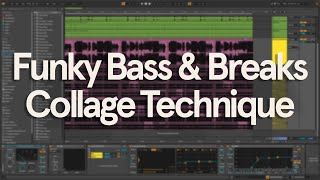
- Introduction and OverviewMain TopicsLearn two unconventional techniques to create funky glitched out baselines and shuffling drum breaks using the collage methodAdditional Content• How to incorporate these sequences into a full track • Mixing tips to make sequences sound three-dimensional and aliveResources AvailableAll stems from the video plus bonus sounds available on Patreon, along with full track breakdown videosGetting StartedJump into Ableton Live to begin with shuffly drums and a funky baseline
- Building Multiple Bass LayersLayer FoundationTo achieve a fragmented, chopped-up feel, use a bunch of different bass sounds that contrast with one another and have distinctly different textures and tonesSound Selection• Use sounds with fast attack for short note sequences • Load the Carrier Sky preset for a crispy bass sound • Adjust octaves up or down to find the sweet spot where the low end hits • Use electric bass sounds to contrast with synthetic soundsLayer CountUse at least 8 to 10 bass patches for an optimal glitchy result, with varied textures including resonant filters, distorted tones, sync sounds, mowy tones, and wobbly patchesPreparationConvert all MIDI tracks to audio clips and normalize each one to hit full volume without clipping
- Technique 1: Follow Actions MethodFollow Actions SetupFollow actions automate what happens after a clip finishes playing. Select 'Other' from the dropdown to trigger any random clip except itselfConfiguration Options• Use probability slider set to 100% for consistent triggering • Choose between Linked mode (tied to clip length) or UNL mode (independent timing) • Set UNL mode to trigger a new clip every two beats • Enable Legato mode to continue playback from where the previous clip left offResultCreates a tight, glitchy bass sequence that constantly evolves and never repeats itselfIntegrationFeed the sequence into a new audio channel with a glue compressor to even out dynamics, record for multiple bars, then drag into arrangement view and rearrange sections into a loop
- Loop Organization TipsMaking It IntentionalRepeat certain sections every bar or two and switch up the parts in between to make the loop feel more intentional and less randomPractical Application• Copy the first beat of bars one and two to the second half of the loop • Copy the last beat of the second bar to reinforce structureBalanceMix repeated sections with varied parts to maintain interest while preserving musicalityListen CheckPlay back the arranged loop to verify the balance between repetition and variation sounds intentional
- Technique 2: Take Lanes MethodTake Lanes BasicsTake lanes are used creatively to blend and switch between different bass sounds by inserting dedicated lanes for each bass loopSetup Process• Right-click on the bass collection track and choose insert take lane • Copy and paste the first bass loop into each take lane • Rename each audio clip to match the name of its bass patch for easy identificationCompositingPress B to activate the draw tool and highlight sections from each take lane, combining them into one composite audio loop that appears in the main track laneRefinement• Duplicate bars and make small tweaks to keep it interesting • Manually lower the volume of some chops to balance the loop
- Comparing Both ApproachesWorkflow StylesBoth follow actions and take lanes methods have pros and cons depending on whether you prefer a more hands-on approach or a more generative workflowFollow Actions ProsGenerates variations automatically with minimal manual intervention, creating evolving sequencesTake Lanes ProsProvides full creative control over exactly which sections appear and when, allowing precise compositionChoice FactorSelect the method that best fits your creative preference and the level of control you want over the final result
- Mixing Bass SequencesMultiband Compression• Balance low end and high-end separately using a multiband compressor like Fab Filter Pro-MB • Create a band up to 100 Hz for deepest subs, raising gain and compressing back to zero when bass gets too heavy • Create a band from 5 kHz and up, giving it a gentle boost while compressing back to zero for clarity and sparkleDepth TreatmentAdd a very short room reverb rather than a long reverb tail to fill gaps between chops without drying out the bassReverb Configuration• Load an audio effect track with a room reverb preset • Tweak size and decay parameters for the shortest reverb possible while maintaining compact room vibe • Add extra high-end crispiness and cut subs from the reverb signal to avoid interfering with the dry bass low endResultThe reverb makes the bass sound much more three-dimensional and alive, turning a flat track into one that feels dimensional and professional
- Applying Technique to Drum BreaksBreak SetupApply the same follow actions technique to classic drum breaks, setting up identical follow action configurations as used for the bassProcessing Chain• Add a glue compressor for cohesion • Use a drum bus to slightly shorten the sustain of the hits • Include an effects motions plugin, turning it on and off while recording to add wonky movementRefinement Tools• Use a limiter at the end of the chain to keep meters in check • Turn on a glitch plugin for a bar or two to add extra variationRecordingGrab the audio from the breaks track on a second channel and record the result, fine-tuning effects while capturing the performance
- Integrating Breaks into a TrackAnchor StructureCreate a simple drum and bass drum pattern to act as an anchor for the breaks, providing rhythmic stabilityChopping StrategyChop up the most interesting parts of the break sequence and place them over the beat, making sure a few chops repeat here and there for structureSpace CarvingSide chain the breaks to both the kick and snare to carve out space and keep everything sitting nicely together in the dense layer of drum breaksFinal PolishAdd room reverb in parallel to the breaks, just like done with the bass sequence, for cohesion and depth
- Conclusion and ApplicationsKey TakeawayThe collage technique with follow actions and take lanes creates cool fragmented funky sequences that evolve and stay freshExtended Uses• Apply the same technique to melodies • Use on synthesizers for unique textures • Apply to vocal chops for glitchy effectsCreative PotentialThese techniques produce really cool, unique, glitchy textures that bring life and creativity to any trackFinal CallThanks for watching. Subscribe for more content and see you in the next video