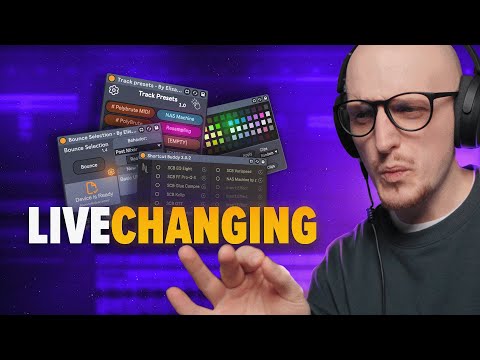
The ESSENTIAL Ableton Live Tools You CAN’T Live Without
6 capitulos
- Introduction to Essential Max for Life DevicesProblem OverviewThere is an overwhelming amount of Max for Life devices available, most of which can replace plugins for a fraction of the price.Key InsightThe true essentials that level up your workflow have nothing to do with effects, instruments, or sequences.Solution Benefits• Speed up your workflow significantly • Extremely affordable even when buying multiple devices • Cost less than a single pluginWhat's ComingA curated set of must-have devices that have been tested and proven essential.
- Bounce to Track and Selection FeaturesDevice OverviewBounce to Track and Bounce Selection are alternatives to native bouncing with unique features.Key Differences• Bounce Selection has unique routing features not found in native bounce • Can be mapped to a single key for quick access • Works with Ableton Live 10, 11, and 12Advanced RoutingSupports post mixer, pre effects, and post effects routing. You can drag effect racks into the device to apply them before bouncing.PricingCosts five Freedom coins and is compatible with Life 10, 11, and 12.
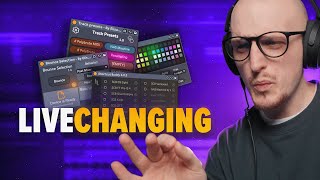
- Organization Tools and Color ManagementThe ProblemAfter bouncing multiple clips and groups, projects become visually messy and disorganized.Color SolutionColor naming devices allow you to choose a color palette and assign colors to entire sessions or individual clips to maintain visual organization.Root CauseThe actual problem stopping creative flow isn't just color or naming—it's the lack of workflow efficiency when organizing large sessions.Next StepsThere are clever solutions available before moving to other essential tools.
- Track Presets and Quick SetupWhat It DoesTrack Presets by Elizabeth Hotland (created by Zdrewe) allows you to set predefined colors, names, routings, and effect chains for new tracks.Time-Saving Features• Save colors, names, and routings in advance • Automatically load your favorite effect chains on newly created tracks • Draw effect chains that load on the new trackImplementationKey map each track preset to a different key, or map the popup window to MIDI tracks for instant access when adding new audio tracks.Pro TipUse high-quality racks only to ensure optimal performance and workflow efficiency.
- Shortcut Buddy and Keyboard MappingInitial SkepticismMany users are skeptical about Shortcut Buddy initially, but after using it they realize it's incredibly valuable.Core FunctionalityShortcut Buddy allows you to add any device, plugin, instrument, or rack with a single keypress by preparing and mapping custom racks.Customization Power• Use racks for even more customization than standard devices • Example: Press 'G' to load a glue compressor, press 'C' to load a metering device and clipper combo • Eliminates the need to manually add and configure devices each timePro TipUse capital letters instead of normal ones to avoid triggering Ableton's default shortcuts. This is easier to memorize and requires holding shift or caps lock.
- Honorable Mentions and Final RecommendationsAdditional Devices• Clip Gain: Adjust clip gain directly • Var Speed: Game-changing time-stretching device • Swiss Army Meter: Essential metering tool • Notepad by Elephant: Updated version for track-specific notes and preset memorySetup and OrganizationThese devices are placed in a 'Make Life Easier' group on the master chain to keep them accessible and organized.Implementation StrategyAlthough these devices require some time to set up, once configured and saved as default templates, you can focus on what really matters: making music.Final TakeawayWith all these workflow tools properly configured, you can eliminate distractions and concentrate on creative production.