These Max 4 Live Devices Shouldn't Be Legal...
Max for Life devices built by producers for producers
9 capitulos
- Introduction to Max for Life DevicesProblem StatementMany producers collect dozens of plugins when they could get the same or better tools for free or at a fraction of the price through Max for Life devices.What It IsMax for Life devices are tools built by producers for producers that can turn complex setups into useful instruments.The CatchNothing is really free - you need to own Ableton Live Suite or purchase Max for Life separately to access these devices.Value PropositionEven by default, Live Suite includes tools that the standard version is missing, like LFO and shaper functions.
- Essential Shaper and Automation ToolsShaper FunctionThe Shaper tool allows you to draw any type of shape or use default ones to speed up automation processes without manually drawing each parameter.Parameter MappingYou can map shaper curves to any parameter in your Live session, such as modulating global feedback of plugins or controlling the depth of other shapers.Stacking CapabilitiesMultiple shapers can be layered together - the second shaper can control the depth of the first one to create interesting interactive effects.Workflow AdvantageShaper dramatically speeds up the automation process, making it ideal for lazy producers who want efficient parameter control.
- Creative Extensions Pack: Color Limiter, Pitch Hack, and Spectre BlurSpectre Blur• A no-brainer for creating atmospheres and ambience out of any sound • Increase dry and wet signals, then choose the frequency you want to blur • Simple interface with powerful atmospheric resultsPitch Hack• Creates a free version of Halftime on steroids • Change pitch to octave down or up • Control rate and reverse the effect for creative sound manipulationColor LimiterWell-known device included in the free Creative Extensions pack for dynamic control.Pack ValueThe free Creative Extensions pack includes some of the most useful and unique Max for Life devices available.
- ML Distance: Spatial Processing with Physical RealismCore FunctionML Distance pans sounds left and right while simulating the acoustic experience of distance, which is a detail many producers miss.Frequency ReductionWhen you change the distance parameter, the device not only makes sounds quieter but also cuts high frequencies to simulate how distance affects sound in real life.Realistic EffectThe device replicates the natural experience of distance - objects that are farther away sound quieter and lose high-frequency content, just like in physical space.Practical ApplicationEssential for creating realistic spatial placement of sounds in a mix, especially for elements like high hats and other bright instruments.
- Loop Flip: Generative Loop TransformationSetup Process• Place multiple audio clips with the same melody but different instruments on an audio track • Create a new MIDI track underneath the audio track with your clips • Place Loop Flip device on the MIDI trackGeneration FeatureSimply press the generate button and Loop Flip creates new variations of your loops based on the source material.Best Use Cases• Works particularly well for drum breaks • Effective for melody transformations • Versatile for generating variations of any type of loopExperiential LearningLoop Flip is best experienced firsthand rather than explained, with a 20% discount available through the video description.
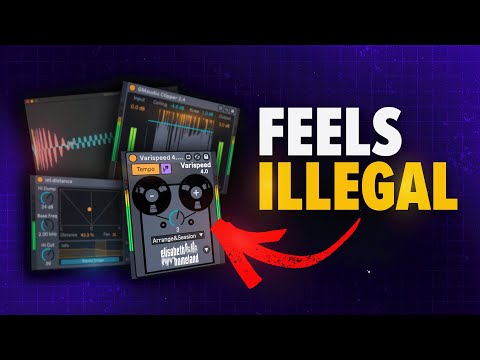
- Very Speed: Master Track Pitch Shifting with Smart ExclusionsPrimary ProblemWhen you want to shift an entire track to a different pitch, manually adjusting all MIDI and audio clips through Sound Shifter by Waves is time-consuming.Master Track SolutionVery Speed can be placed on the master track to automatically shift all MIDI notes and tonal audio tracks simultaneously when you change the pitch parameter.Smart Drum Exclusion• Advanced app feature allows you to exclude specific sounds by typing their names • Excludes drum elements like kick, snare, and hi-hat from pitch shifting • Preserves rhythmic consistency while transposing melodic contentAdditional FeaturesVery Speed also synchronizes with tuning plugins, making it a comprehensive tool for key changes and transposition workflows.
- Chain Shaper: Advanced Sidechain Visualization and ControlDrawing Interface• Start with a transparent mode or switch to classic mode using a dropdown menu • Draw custom sidechain curves by clicking points on a graph • Create as many points as you want to shape the sidechain curve however you preferEditing Controls• Delete accidental points by holding Shift and double-clicking • Smooth out curves by pressing Option on Mac • Arrow button toggles between modes for frequency-specific sidechain controlFrequency IsolationSidechain lows, mids, and highs individually with different curves, allowing precise control that many sidechain plugins and compressors cannot achieve.Oscilloscope Monitoring• Large oscilloscope window stays in place to visualize kick and bass relationships • Instantly shows phase issues and sidechain responsiveness • Essential for checking sidechain tightness and audio quality
- Multi-Channel Sidechain and GM Audio ClipperDual SidechainFor extremely loud tracks, you can sidechain both kick and snare by using the channel feature to route the snare to a separate curve instead of using multiple instances.Clipper OverviewGM Audio Clipper provides simple, easy-to-use clipping directly on your devices panel at the price of lunch money.Clipper Features• Listen button to quickly check what you are actually clipping • Knee control to choose between hard clipping or soft clipping • Standard controls for ceiling, input, and output parametersQuality ComparisonGM Audio Clipper delivers comparable results to premium clippers like K Clip with no audible difference while being significantly more affordable.
- Building Max for Life Devices: The FutureCreation ExperienceBuilding Max for Life devices appears to be a fun and rewarding experience for producers interested in tool development.Learning CurveCreating these devices is not overly complicated if you understand the basics of Max, making it accessible to producers with programming interest.Next StepsThe presenter is considering learning how to code to start building custom Max for Life devices.Community ImpactThe availability of affordable and free Max for Life devices from producer developers continues to democratize music production tools.