I Tried the New ShaperBox Update and It’s Actually UNREAL
5 capitulos
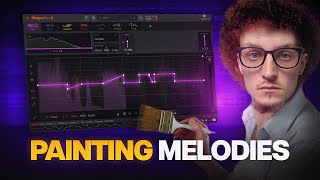
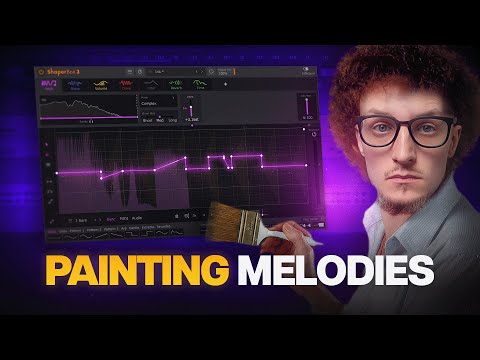
- Introduction to Shaper Box and Pitch ShaperProblem StatementMost people use Shaper Box for boring tasks that can be done with stock tools, missing its true potential.New FeatureThe brand new Pitch Shaper module is introduced as a game-changing addition to Shaper Box.Live DemonstrationA boring loop is transformed with Shaper Box enabled, creating noticeable pitch changes without manual adjustment.Key ComponentThe Pitch Shaper carries the entire effect, while other subtle shapers work in conjunction to enhance the sound.
- Pitch Shaper Controls and InterfaceMain Work AreaThe primary interface is where pitch adjustments are made, snapping to pitch by default.Control Options• Drag notes to adjust pitch values • Hold shift to access more precise, non-snapped valuesComparison to Stock ToolsPitch Shaper maintains cleaner sound quality compared to Ableton Live's default pitch automation, even with complex algorithms.Mode SelectionDifferent modes (Complex, Vocals, Vintage, Drums) can be switched based on the sound type being processed.
- Advanced Features and Multi-Band ProcessingFrequency Band ControlEach frequency band in Shaper Box can have its own independent shape, allowing separate adjustments for lows, mids, and highs.Practical ExampleDrums mode with dedicated shapes can bring up snare character; using separate band processing enables pitch shaping on lows while keeping other frequencies unchanged.Format UnlinkingVocals and drum modes offer the option to unlink formats and treat them independently for more granular control.Blend ControlDry and wet knobs provide mixing capabilities, though complex adjustments may require separate frequency band processing to preserve nuance.
- Shape Automation and SwitchingDynamic Shape SwitchingDifferent shapes can be automated and switched throughout a drop, either through separate instances or automation lanes.Custom Shape Storage• Custom shapes and waves can be saved and stored within Shaper Box • Each shape is assigned to its source shaper but usable across different shapers • Stored shapes can be switched via automation or MIDI for live performanceShape EditingModifying stored shapes requires re-storing the wave in Shaper Box; changes update all automation references automatically.Live PerformanceShapes can be controlled and switched in real-time using MIDI, enabling dynamic sound design during live performance.
- Complete Sound Design Stack and CombinationsMulti-Shaper Setup• Pitch Shaper as the main effect carrier • Noise shape with envelope for texture • Volume shaper for dynamic glitchy feel • Filter and reverb for additional processingLayer InteractionMultiple shapers work together, with Pitch Shaper doing the heavy lifting while other effects add character and glitch elements.Creative ExplorationDon't be afraid to max out shapers or try different combinations; even boring ambience can become intense with creative stacking.Effect OrderingPlaying with the order of effects (like flanging combined with feedback and pitch shaping) creates cool variations and unique sounds.