Why Pros DRUMS Sound SO GOOD? Here are 3 secrets..
are you having problems with gluing your drums? we're going to take those drums and turn them into [professional sounding drums]
6 chapitres
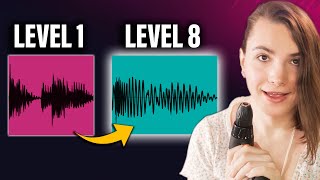
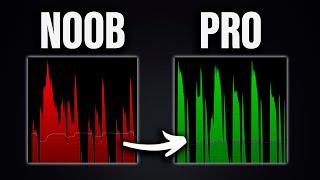
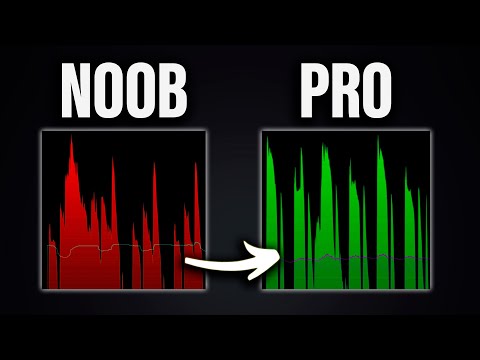
- Understanding Drum Dynamics and GlueProblem DefinitionUnglued drums occur when there is a large dynamic range between loud and quiet parts, combined with different transient behaviors - some sounds are very snappy while others are sustained.Key Concepts• Dynamic range: the difference between the loudest and quietest part of a sound • Transient: rapid volume changes (like a snare drum hit) • Sustained: gradual volume changes (like a cymbal ring)Visual DifferencesUnglued drums have disparate waveform peaks and different time behaviors, while glued drums maintain similar shapes with more coherent volume and timing variation.Root CausesToo many volume level differences between elements combined with different transient behavior creates drums that sound disconnected.
- Sample Selection and Basic ProcessingSample StrategyThe best solution is selecting samples with similar waveform shapes and characteristics from the start rather than trying to fix incompatible sounds through processing.Clipping Technique• Clip the initial transient of samples to make them less snappy • Clipping also adds distortion that helps sounds cut through the mix • Apply to snare, hats, and percussion elementsEqualizationPull up specific frequency ranges with EQ to add body and coherence to processed samples.ResultsAfter clipping and EQ, drums begin to feel like they belong together without any effects applied.
- Group Compression and Transient ControlTransient LossClipping individual drums can reduce their snappy attacking quality, requiring additional processing to restore cohesion.Compressor Attack• Fast attack settings create smaller transients • Slow attack settings create bigger transients • Attack speed directly affects how much transient is preserved or reducedApplication MethodGroup drums together and apply a fast-release compressor to control transient behavior without over-processing individual tracks.Settings GuideKeep compression subtle - aim for around 3dB of reduction to maintain audibility for casual listeners without obvious pumping.
- Harmonics and Distortion for CohesionHarmonic FoundationHarmonics are the building blocks of sound - adding or removing specific harmonics can transform sounds and help drums sound more coherent together.Distortion Application• Group similar drum elements (hats, snare, percussion) together • Apply distortion to add similar upper harmonics across different sounds • Use plugins with wet/dry mixing to avoid creating parallel chainsCaution PointsBe careful with already rich, complex sounds as adding distortion increases harmonic density and can create muddiness.Mixing ApproachStart subtle with distortion amount, then use parallel compression or aggressive return track processing depending on genre - more aggression needed for techno, less for subtle genres.
- Reverb Strategy and Plate Reverb SetupSpace CreationCreating a sense of shared space through delay and reverb is crucial for making drums sound cohesive and placed in a unified acoustic environment.Plate Reverb Benefits• Tight, small, and bright character allows prioritizing which elements feel tight • Always test on a snare first - if it sounds good there, it works everywhere • Always use returns, never put reverb on individual channels as this makes mixing difficultReverb CustomizationAdjust size and drive parameters to create a tight reverb, then use plugins like iZotope Ozone Exciter in retro mode to add warmth and open up the snare.Workflow TipsStart with medium room settings at 100% wet on a return track, adjust distance and character, then carefully control the send amounts for each element.
- Room Simulation and Spatial EnhancementRoom IntegrationAfter establishing a tight plate reverb for individual elements, place everything inside a unified room space using a room reverb plugin.Room Reverb Setup• Use Pro-R2 or similar room simulation tools • Set to medium room at 100% wet on a return track • Adjust distance and character to feel cohesive without being too dark or brightSelective SendsSend distortion groups and selected elements to the room reverb, particularly emphasizing percussion elements for enhanced spatial placement.Slapback Delay Addition• Add a fast slapback delay to create initial echo reflections in the room • Use only on shorter sounds to avoid phasing issues with longer elements • Keep feedback low to maintain subtlety