![How to make melodic techno like [Stephan Bodzin - Strand remake]](https://img.youtube.com/vi/cYGL6t4BFY0/hqdefault.jpg)
How to make melodic techno like [Stephan Bodzin - Strand remake]
6 chapitres
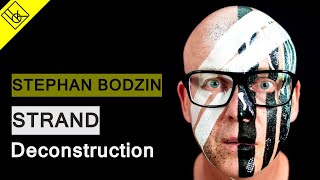
- Introduction and Track PreviewArtist RecognitionStephan Bodzin is a favorite artist who shaped melodic techno and defined the genre's style and sound.Production ChallengeThe creator aims to remake Bodzin's track while acknowledging it's nearly impossible to match the original quality, accepting the remake will be approximately 30% off from the original.Contest AnnouncementA remix contest is ongoing with four weeks remaining, offering prizes worth thousands of euros including samples, classes, and VSTs.Track PlaybackA preview of the completed remake is played to demonstrate how closely it matches the original Bodzin track.
- Kick and Bass FoundationKick Layering• Simple kick sample • Sub/low end layer • Mid-range component • High-frequency transient with slide EQ and drum bus for punchSub Bass SoundSimple bass line that fills space and creates a bobbing groove effect, working in conjunction with the kick pattern.Driving Bass Layer• Uses Diva synth with two oscillators and sine waves to occupy low-end frequencies without being overly complex • Includes envelope on cutoff with no sustain or release for percussive effect • Chorus adds ambience to the sound • Additional EQ, auto-pan, compressor, and reverb processing appliedLow-End PurposeSimple, clean low end creates space for the lead sound to shine, which is the most important element of the track.
- Main Lead Synth Sound DesignChord Progression• Uses two-note chord progression switching between D and A# • Root note is D minor, with the sixth note being the key melodic techno element • The sixth note in the minor scale is a signature sound of melodic technoFM Synthesis Technique• Oscillator 1 modulates oscillators 2 and 3 for FM synthesis • Manual tuning of oscillators after FM synthesis begins to create richer, more natural sound variations • Different wave shapes produce different timbres during fast and slow note sectionsAutomation Elements• Filter cutoff automated to open during fast notes for clarity and brightness • Envelope aggressiveness modulated through frequency modulation depth automation • Oscillator 2 tuning automated to add chaotic, detuned effects • Shape automation switches between sawtooth for bass notes and square wave for glassy fast notes • This extensive automation is the most important aspect for creating variation and characterProcessing Chain• Channel EQ opens up high end for bright character • LFO on cutoff creates modulating effects on the filter • Slight chorus adds width without over-processing • Overall emphasis on automation rather than heavy effects to maintain clarity
- Arpeggio and Atmospheric ElementsArpeggio Layers• Triangle wave synthesizer as main element • Second triangle wave detuned one octave higher • Piano sample layered on top for high-end richness • Slight distortion applied to the overall soundSonic CharacterThe arpeggio combines analog synthesis with sampled elements to create a unique texture that serves as the main atmospheric pad.Processing Stack• Analog filter for shaping white noise characteristics • Fast envelope on cutoff for dynamic movement • Overdrive for subtle warmth • Long reverb creates pad-like ambient background • Compressor for dynamic controlAmbience RoleThe arpeggio's reverb tail creates the pad sound and ambience in the track since there is no dedicated pad instrument.
- Percussion and Hi-Hat DetailsClap Sound• Low clap layer combined with higher-tuned clap for richness • Echo effect creates stereo width by delaying right channel • Overdrive and EQ for tonal shaping • Simple processing typical of Bodzin's approachHi-Hat ComplexityHi-hats are often overlooked in techno but Bodzin uses multiple white noise layers creating ambience rather than simple 16th note patterns.Hi-Hat Layers• 16th note hi-hat panned left and right • Shaker with irregular tempo • Multiple Analog synth instances in noise mode with resonance and delays • Combination creates intricate, organic hi-hat textureNoise Shaping MethodUsing Ableton Analog in noise mode allows direct sound shaping without relying on pre-made samples, providing more creative control.
- Final Mix and Key TakeawaysAutomation ImportanceThe most significant learning point is understanding how automation adds value to tracks, creating variation and movement beyond static sound design.Sound Design Philosophy• Simple foundation elements (kick, bass, clap) avoid over-complication • Complex lead sound carries most of the creative detail • Layered hi-hats and percussion add subtle depth and ambienceTechnical Strategies• Layering techniques for drums to enhance impact • FM synthesis for creating complex timbral variations • Strategic use of white noise and filtering for atmospheric elements • Detuning oscillators for richness and organic textureCreative ResultThe complete remake demonstrates how understanding Bodzin's production techniques, especially his automation work and sound design choices, creates a cohesive melodic techno track.