I Use This Plugin On Every Mix and Master - Youlean Loudness Meter 2 Pro
10 chapters
- Introduction to Youlean Loudness MeterPlugin OverviewYoulean Loudness Meter is a free fully-featured loudness meter with a pro version that unlocks handy features. Available as VST 2/3, AAX, and standalone application.Why It MattersProfessional loudness meters provide accurate LUFS measurements and true peak values, which are crucial for proper mastering. Standard RMS values are insufficient for modern audio production.Developer ContextThe developer is a hardworking and detailed professional. This is an unsponsored review based on personal experience with the free version for about a year and a half.Key Features• Real-time loudness analysis while playing audio • File drag-and-drop analysis (pro version only) • Dynamic range metering capabilities • Multiple plugin format support
- Understanding Loudness Meters and LUFSThe ProblemRMS values don't accurately reflect perceived loudness. Tracks can appear good on RMS but lack loudness and energy when compared to professional releases.LUFS SolutionLUFS (Loudness Units relative to Full Scale) applies a filter that is less sensitive to low-end and more sensitive to high-end, matching human perception of loudness better than RMS.Critical Metrics• Integrated LUFS - overall loudness average across entire track • True peak value - maximum level to prevent encoding distortion • Loudness range - difference between loud and quiet parts • Dynamic range - difference between integrated loudness and true peakPractical BenefitsUsing accurate loudness measurements helps achieve the right loudness ballpark, prevents clipping during transcoding, and enables better mixing decisions overall.
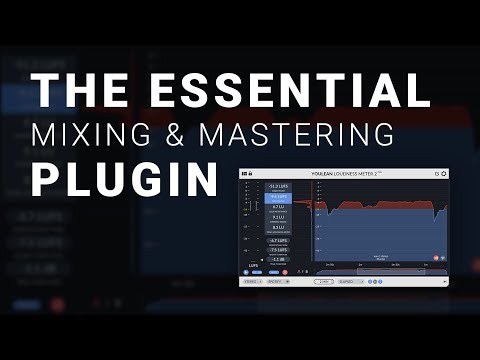
- Plugin Interface and Basic OperationsUser Interface• Completely scalable interface that looks amazing at any size • Dark theme option available in pro version for easier viewing • GUI scaling and text scaling customization options • Adjustable frame rate to balance visual clarity with CPU usageDisplay OptionsMain meter shows short-term and momentary loudness plus loudness range. Histogram provides graphical representation of loudness over time with true peaks highlighted in red.Navigation Features• Scroll to zoom in and out of graphs • Move up/down to view different data ranges • Pan left/right for real-time scrolling or historical review • Toggle between elapsed time and timecode display modesPerformance ImpactThe plugin is not CPU-intensive and does not affect your signal chain. It purely monitors audio without modification, making it safe for any mastering setup.
- Presets and Streaming Platform StandardsAvailable PresetsPresets include YouTube, Spotify, Apple Music, and other streaming platforms. Each preset specifies the target integrated loudness level for that platform.YouTube ExampleYouTube preset targets -13 LUFS integrated loudness. The plugin displays a yellow marker on the histogram showing this target level.Custom PresetsPro version allows creating custom presets for consistent standards across entire album mastering sessions. Presets are regularly updated by the developer.Quick SelectionSimply select the appropriate preset from the bottom left dropdown based on where the final audio will be distributed. This automatically sets all relevant thresholds and targets.
- Detailed Metrics ExplainedIntegrated LUFSAverages loudness across the entire track to determine if the song falls within the correct loudness ballpark for a given streaming platform or distribution target.Loudness RangeShows the difference between louder and quieter parts of a song, indicating macro dynamics. Large differences (like 8+ LUFS) suggest the song may be more dynamic than commercial releases.True Peak MaximumThe absolute highest value the audio reaches. When true peaks cross platform thresholds, encoding artifacts or audible distortion may occur during transcoding to formats like MP3.Alert SystemRight-click the alerts box to customize true peak and integrated loudness thresholds. The plugin is painstakingly accurate and can be completely trusted for critical mastering decisions.
- Dynamic Range Analysis and InterpretationDynamic Range MetricShows the difference between integrated loudness and true peak loudness at any point in time. Independent of overall volume level, it reveals compression characteristics.Reading the Graph• Higher values indicate less compression and more dynamic audio • Lower values indicate more compression and less dynamic audio • Commercial releases typically average around 8 LUFS dynamic range • Values below 5-4 sound extremely over-compressedGenre VariationsDifferent genres have different dynamic range standards. EDM tends to be highly compressed throughout, while other genres may have more dynamic range. Compare against reference tracks in your specific genre.Practical ApplicationUse dynamic range analysis as a double-check for your ears after long mixing sessions. Comparing your track to professional releases in the same genre helps validate compression decisions.
- Advanced Features and CustomizationChannel ConfigurationChange between mono, stereo, and surround sound modes depending on your mastering job and playback system setup.Graph Customization• Adjust loudness split values and transition softness • Set custom loudness target and relative scale for easier reference • Change dynamic range thresholds and color-coding • Toggle individual display elements on and offSettings Menu OptionsAccess alerts configuration, color adjustments, advanced optimization features, and relative scale adjustments to match your specific mastering workflow and requirements.Hidden Easter EggA fun arcade game is hidden in the settings menu as a break from intensive mastering work.
- Export and Client DeliverablesExport FunctionalityPro version includes export feature to save all data as a single graph in various formats including 4K PNG resolution. Available in both light and dark themes.Professional PresentationPrint exported graphs for clients to demonstrate the audio characteristics, prove no true peaks exceed limits, and show suitability for online streaming.Client ValueProviding visual graphs gives clients peace of mind and differentiates your mastering service. Most mastering engineers don't provide this level of documentation with their deliverables.Documentation PurposeGraphs serve both functional and communication purposes, helping clients understand their audio even if they don't comprehend the technical values displayed.
- Practical Mastering WorkflowReal-time MonitoringPlay audio through the plugin while adjusting limiter settings. Monitor true peaks in real-time and adjust limiter ceiling to prevent clipping.Dynamic AdjustmentUse the dynamic range graph to visually guide compression decisions. Ensure choruses have appropriate loudness while maintaining overall dynamic balance.Post-Master AnalysisAfter exporting the mastered file, drag it back into the plugin to analyze the final result. Compare integrated LUFS and dynamic range against the preset targets and commercial references.Quality Assurance• Verify true peaks don't exceed streaming platform limits • Confirm integrated LUFS matches distribution target • Check dynamic range is appropriate for the genre • Ensure no unexpected clipping or artifacts are present
- Summary and RecommendationEssential ToolYoulean Loudness Meter provides critical information that ears alone cannot deliver. It covers everything your ears can't do in mastering and quality assurance.VersatilityThe plugin accommodates different user needs from simple preset selection to highly specific mastering requirements with detailed customization options.Developer PhilosophyThe developer understands that every mixing and mastering engineer has unique needs, resulting in a tool that scales from basic to advanced usage.Next StepsDownload the free version to try the plugin and experience its capabilities firsthand before considering an upgrade to the pro version.