LoFi Hip Hop Mixing Tutorial
7 chapters
- Introduction and OverviewVideo ContextThis tutorial covers mixing a lofi beat created for the Akai Fire controller demo, including mixing, production, arrangement, and instrument tuning techniques.Approach StrategyThe tutorial uses a top-down mixing approach, starting with master processing and then adjusting individual tracks, which saves time and helps elements gel together.Tools Overview• Primarily FL Studio stock plugins • Some third-party paid plugins • A few free plugins includedBeat Composition• Hiss and pop underneath for low-fi vibe • Drums as rhythmic foundation • Piano and pad filling mid-range • Melody in higher frequencies • Sub bass in low end
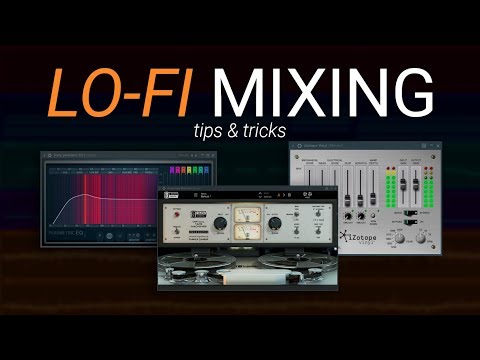
- Master Chain ProcessingTape Machine StageA tape machine plugin adds nonlinear analog character and helps elements gel together by providing a different EQ curve from the start.EQ AdjustmentsUse Parametric EQ 2 on the master to address tonal issues like excessive low-end or prominent snare frequencies without individually processing each source track.Vinyl Simulation• iZotope Vinyl is a free plugin offering diverse creative options • Can add mechanical noise, simulate wear and tear, apply warp depth • Allows mono summing and year selection to emulate different eras • Conservative settings create old-school vibe when mixed throughMixing PhilosophyLo-fi music can be mixed very differently across professional tracks—some are nearly mono while others are stereo wide. There is no single right approach; experimentation is encouraged.
- Arrangement and High-Pass FilteringFrequency OrganizationElements are arranged to minimize competition: sub and kick in low-end, piano mid-range, melody high, reducing overlap and creating natural clarity.High-Pass Filter UsageNearly every track has a high-pass filter removing low-end rumble, creating space for the kick and sub while maintaining overall clarity.Tonal Balance AssessmentiZotope Tonal Balance Control shows frequency energy distribution; bass appeared slightly high but visual meters should not override the actual vibe and feel of the track.Level-Setting TipsTake headphones off and rest them on your desk while playing to hear how elements sound when mushed together, especially useful for checking high-hat levels.
- Drum ProcessingHi-Hat TreatmentVariable hi-hat velocity makes it sound more natural and helps it fit the mix by keeping attention dynamic rather than constant.Kick Drum Setup• Use SPAN frequency analyzer to identify rumble around 5-10 Hz and apply low-cut EQ • Sidechain the kick to sub and piano to create dynamic movement • Route to drum bus for unified processingSnare ShapingParametric EQ with low-cut and a gentle boost around 250 Hz brings out body and helps the snare engage with the kick, balancing crack with warmth.Hi-Hat RefinementRemove problematic low-end frequencies around 300 Hz that interfere with the mix, creating a cleaner, old-school sound when combined with vinyl effects.
- Bass and Sub ProcessingSidechain TechniqueFruity Limiter sidechains the sub to the kick, pulling volume from all frequencies each time the kick hits, creating a pulsing effect that keeps the mix clean.Distortion and SaturationVirtual Mix Rack with wave shaper adds harmonic saturation to help the sub cut through on small speakers like phones and laptops.Low-End EQAdd a 3 dB boost at 60 Hz to restore bass character, then remove extreme low-end below that range to preserve headroom in the mix.Perceived Volume ImpactSaturation creates perceived volume increase in the high-end, making the bass present across different playback systems without requiring level changes.
- Piano and Pad InstrumentsPiano Plugin ChoiceAddictive Keys provides a realistic lush old-school piano sound with natural pitch imperfections that create character, though it is a paid VST with a free trial available.Pitch Imperfection Feature• Real and older pianos have keys that increase in pitch more than expected as you go up • This creates a subtle pitchy phasing effect that sounds natural • Higher keys are technically out of tune compared to lower keysPiano Processing ChainVirtual Mix Rack with 150 Hz low-cut removes unwanted low-end, then a compressor reduces peaks and extends the piano tail for better sustain and gap-filling.Pad EnhancementEQ tightens the bright pad sound, a low-cut removes rumble, and optional sidechain to drums can create spacey effects though it may sound too regimented for this style.
- Instrument Bus and Final TouchesBus OrganizationPiano and pad route to an instruments bus for unified control, allowing global EQ changes and cohesive processing of harmonic elements together.Bus EQ ControlMaster EQ on the instruments bus adjusts brightness or subdued character of both piano and pad simultaneously, helping them gel as a unified harmonic layer.Dynamic Sidechain Options• Limiter on instruments bus sidechains to the kick for dynamic ducking • Can automate sidechain intensity to allow important kick hits through while maintaining effect • Simulates tape compression and creates crushing effect when neededListening PhilosophyThe goal is creating a beat listeners can focus on while studying or working—chill and low-intensity rather than attention-grabbing like other genres.