CLIPPING IS BAD... Until You Learn How To Use It
5 chapitres
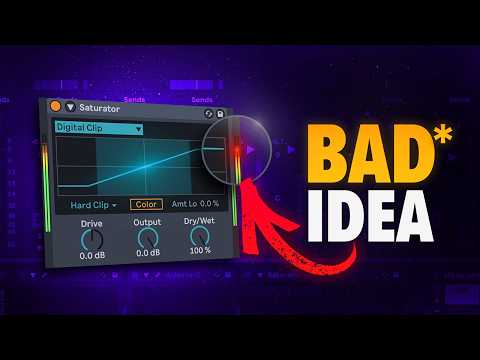
- Understanding Clipping BasicsThe MisconceptionClipping has become a hot topic over the past 2 years with more plugins available, but many people use them incorrectly. Some claim clipping is bad, though often they master everything to minus 14 LUFS, making the point moot.Core TechniqueIntroducing Clip Zero, a scientifically-based method for using clipping effectively throughout your audio session.Soft vs Hard• Soft clipping shaves off transients and introduces saturation with a rounded curve • Hard clipping creates sharper clipping and allows for more volume increase • Soft clipping removes more material but adds saturation in exchangeVisual DifferenceHard clipping creates square waveforms while soft clipping maintains rounded edges. Delta mode tools like K Clip show only what the clipper removes from the signal.
- The Problem with Master-Only ClippingWhat Goes WrongUsing a clipper only on the master to reach loud levels causes everything to sound squashed and distorted.Root CauseThe problem isn't the clipper itself but how sounds are balanced before reaching it. Individual tracks like kick and snare sit near zero dB, but when combining all elements, peaks exceed zero dB.Failed SolutionTurning down individual track volumes to prevent peaks above zero dB destroys the desired balance between elements.Real IssueWhen the clipper or limiter focuses on catching peaks instead of processing the whole waveform, it prevents effective loudness maximization.
- Implementing Track-Level ClippingStrategic ApproachApply clipping to individual tracks before the master to prevent problematic peaks. Use hard clipping on drums and soft clipping on elements like pads for saturation.Process Steps• Insert a clipper on the kick drum and set hard clipping mode • Apply the same technique to the snare • Soft clip pads and tops to add saturation • Apply clipping to each bus in the sessionResults AchievedEliminating peaks above zero dB without the audio sounding distorted, creating a cleaner signal for the master chain.Beyond Stock ToolsThe stock clipping rack works for quick adjustments, but advanced work requires more detailed tools like Max for Life plugins.
- Advanced Clipping PluginsBlastHart Features• Built-in compensation algorithm prevents volume from changing drastically when pushing the clipper • Allows you to hear damage being done to the signalK Clip Advantages• Multiple clipping algorithms including germanium option for character • Lightweight enough to use on every track in a session • Link input and output points to compensate for volume changes automaticallyNew Fangled SaturateDetail preservation fader allows transparency when clipping. Set input to the positive peak value to clip at zero dB, useful for master chain work.Gold Clip AlternativeGold Clip Lite provides a lightweight CPU alternative to the full version, suitable for use on one or two tracks in a session.
- Clip Zero Mastery and Final TechniquesFull Session SetupApply clipping to all tracks in the session, then verify levels are correct before moving to the master chain.Master Chain ClippingUse New Fangled Saturate with Delta mode enabled to catch the loudest peaks and transients, aiming for balanced loudness without distortion.The Method ExplainedClip Zero is called that intentionally. It should be applied to genres requiring minus 8 or above short-term LUFS or integrated LUFS, making it suitable for highly dynamic signals with many peaks.Success Criteria• Good balance and clear sound without significant distortion • Right balance across all sounds throughout the session • Proper clipping levels prevent peaks while maintaining audio quality • Reference detailed guides by Bath Metrics for in-depth understanding