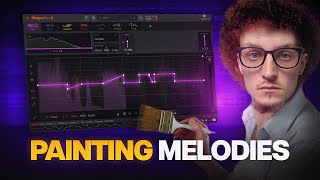

This Plugin Makes Basic Melodies Sound INSANE
5 chapitres
- Rethinking Melody Design PhilosophyThe ProblemMost producers try to make melodies unique by adding more layers, effects, and instruments, but similar melodies have already been made.Alternative ApproachInstead of adding complexity, focus on cutting unnecessary elements and transforming simple things into evolving soundscapes that don't sound like traditional melodies.Drop StructureDrops need to hit hard and have impact in every part of the track, but the challenge is filling the blank space between them.Solution OverviewUse new effects from Ben Jordan and Lunacy Audio to transform basic melodies and improve the overall track structure.
- Taps Delay Plugin: Multiply and Divide ModesCore Features• Multiply works like a normal delay • Divide mode fits delay time into a single tap regardless of the time setting • Includes cluster and skew parameters for sound manipulationSound Shaping Controls• Fade parameter allows making the first tap louder while fading the rest out or in • Feedback control can be adjusted and increased • Stereo and pingpong options available for spatial effectsCreative UsesThe plugin can be used as an instrument rather than just a classic delay, transforming simple loops into arpeggios and creating grain-like effects.Sound Design PotentialWith pitch control, semitone adjustments, and different modes, users can create risers and transform drops with unique melodic elements.
- Using Taps as a Melodic InstrumentPitch Manipulation• Play with pitch using the second tap of Taps plugin • Change semitones to adjust the melodic content • Switch between different modes for varied sonic resultsClassic Delay ElementsAdd tape wow and flutter effects to introduce rhythm and character to the transformed melody.Feedback IntegrationIncrease feedback to turn the effect into a cool riser that can enhance drop sections and create ascending melodic elements.EffectivenessThe Taps-based arpeggio often sounds better than traditional arpeggiators and can work effectively as a drop melody element.
- Beam Plugin and Controlled Feedback LoopsFeedback Loop ConceptControlled feedback loops are an old idea that has proven effective; this effect makes it as simple as dragging portals inside Beam.Timing Control• Adjust feedback timing by dragging a knob • Syncing the feedback with time parameters creates a more classic feedback sound • Panic button available if feedback becomes unstableModulation OptionsUse LFOs and envelopes built inside Beam to modulate parameters like cluster, creating dynamic and evolving sound design.Creative ExplorationPlaying with effects randomly can lead to happy accidents; presets demonstrate extensive sound design possibilities beyond simple melodic applications.
- Advanced Sound Design ApplicationsBeyond MelodiesThe real potential starts when using these effects as sound design tools for individual sounds rather than just melodies.Source Material• Apply effects to various sound sources including vocals • Transform drum elements • Process any audio materialProcessing WorkflowUse resampling techniques to capture and repurpose the processed sounds, creating unique sonic textures.Workflow PhilosophyThe effects-based approach enables deep sound design exploration and creative audio manipulation beyond traditional production methods.