The Drum Sequencer Cheat Code I Wish I Knew Earlier
6 chapitres
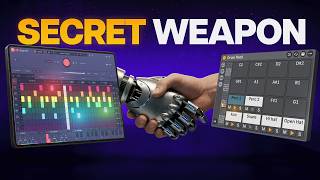
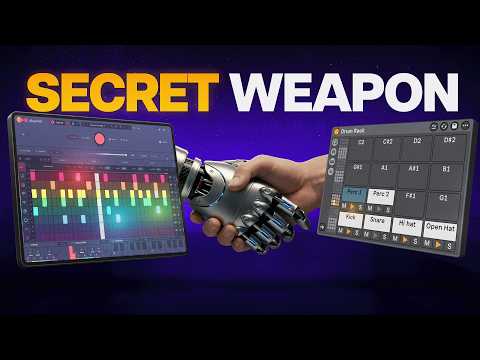
- Introduction to Drum Sequencers and Their LimitationsHistorical ContextDrum sequencers have been around since the late 1970s, used both on hit records and in unreleased jam sessions.Common Problems• Existing sequencers either generate random ideas or feel no different than drawing MIDI in piano roll • Drum plugins have severely limited sequencers or lock you to using built-in sounds • Hardware units are expensive alternativesSolution IntroductionPlaybeat is presented as an alternative solution that addresses these limitations.Unique AdvantageUnlike drum plugins, Playbeat can function as a pure sequencer for Ableton Live's Drum Rack while still offering standalone capabilities.
- Setting Up Playbeat with Ableton Live Drum RackInitial ConfigurationAccess settings and enable the MIDI panel, then switch all the MIDI notes you plan to use.MIDI Mapping Process• Map each note to Drum Rack pads by typing note values (e.g., C1, C#1, D1) • Lock the MIDI outputs after mapping • Set Playbeat as a MIDI input for the Drum Rack instancePreset ManagementSave settings as a preset inside Playbeat or as a plugin preset in Live for quick recall using tools like Afo Max.Instant Pattern GenerationGenerate random drum patterns with a single click once setup is complete.
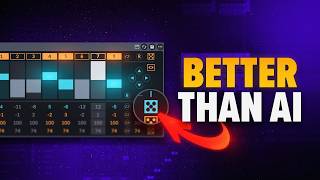
- Basic Pattern Creation and Row-Level RandomizationFundamental Features• Delete and add steps as needed for any row or sound • Adjust complexity slider to control the density of generated patterns • Randomize all steps with a single button pressSelective RandomizationClick on individual rows to randomize only that pattern, such as high hats or kicks in isolation.Precision ControlLock specific sounds like kick and snare while making subtle changes to other elements using the remix and alt+click randomize method.Variation TechniqueSmall shifts between sounds create useful variations for maintaining pattern coherence while adding movement.
- AI-Powered Style-Based Pattern GenerationAI ImplementationPlaybeat uses AI to connect styles, patterns, and sounds. It trains on signature rhythms to provide starting points for customization.Style Selection• Choose from genre styles like trap, urban, and garage • Mix up to three different styles simultaneously • Combine styles such as tribal, world, and soundtrack for cinematic effectsPattern EnhancementAdjust complexity sliders to generate variations of specific elements, like adding more high hats or creating new patterns while keeping existing ones.Practical ApplicationBuild patterns by selecting styles, randomizing, and then refining individual components to create unique drum arrangements.
- Advanced Rhythm Techniques and Scale SnapPitch ControlAccess the pitch section to choose a scale and use snap-to-scale function to match the key of your session.Rhythm Complexity• Control velocity and panning per step • Add rolls and flams for detailed hi-hat patterns • Adjust swing rate and delay for individual sounds or entire patternsPolyrhythm CreationAdjust length parameters for polyrhythms, which the software simplifies compared to traditional music production complexity.Dynamic Randomization• Use the randomization button for pattern changes while the track plays • Use the instant change option for immediate pattern modifications • Randomize randomization itself for additional variation layers
- Playbeat vs. EXO Comparison and Export OptionsTool DifferencesEXO has a sequencer but lacks the depth of Playbeat. EXO cannot cleanly function as a proper MIDI sequencer, though it can run inside Drum Rack with a workaround.Sequencing CapabilitiesFor proper MIDI sequencing needs, Playbeat is considered the clear winner over EXO in terms of depth and functionality.Export FeaturesBoth Playbeat and EXO offer MIDI and audio export options.Getting StartedPlaybeat offers a free trial, allowing comparison with other plugins and Max for Live tools before purchase.