How to Remove Noise from Vocals and Recordings (Hiss, Hum, Background Noise)
4 chapitres
- Introduction to Noise Removal TechniqueOverviewThe video demonstrates how to remove noise, hiss, hum, and electronic static noise from recordings made through audio interfaces or microphones.Key AdvantageThis denoising technique is powerful because it removes noise not just from before and after the audio, but from within all of the audio.Examples Covered• Guitar recording with noise • Vocal recording with microphone noiseTool UsedFL Studio 20 is used to demonstrate the denoising process.
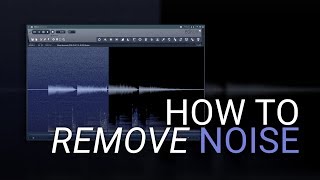
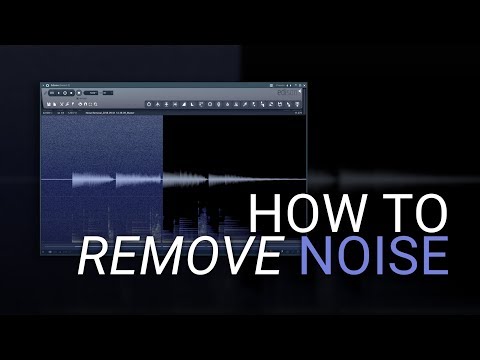
- Guitar Denoising DemonstrationProblem IdentifiedThe raw guitar signal contains hiss and hum noise throughout the sample, especially at the end, making it unsuitable for professional use.Process Steps• Double-click the rapper to open the waveform view • Right-click and press edit to open Edison window • Select spectrum view to visualize the noise • Select an area with only noise and acquire noise profile • Select entire sample and apply denoising toolSettings AdjustmentThe amount dial controls denoising intensity. Starting in the middle and adjusting prevents unnatural underwater sound. Using preview ensures the result sounds natural.ResultsThe denoised guitar shows a dramatic improvement with noise completely removed. When effects like EQ and reverb are added, the clean version handles them much better than the noisy version.
- Vocal Recording DenoisingChallenge SetupThe vocal sample contains hiss and hum from the room, further amplified by running it through a tape machine, creating a heavily noisy recording.Noise SelectionSelecting a noise-only section from a microphone recording is more difficult than from direct signals due to room noise and random sounds. Finding a clean section with only noise is critical for accurate noise profiling.Application ProcessThe same steps apply: acquire noise profile, select the entire audio to denoise, and adjust the amount dial. May require pushing the denoising further for heavily noisy recordings.Comparison ResultsThe denoised vocal shows significant improvement without losing tonal qualities or sounding unnatural. This is especially important for processing with compression, which would amplify remaining noise.
- Advanced Tips and ConclusionCreative SolutionsIf no clean noise section exists, create static noise or download a wav file with noise and use it as a noise profile. Some users successfully repurpose external noise like electrostatic noise from a TV as profiles.Key Advantage Over TrimmingWhile simple trimming removes noise from audio edges, this technique removes noise from the entire audio clip, including within the desired signal.Practical ApplicationThis technique is regularly used to clean tutorial audio and is essential before adding effects like compression, which would amplify low-level hiss and hum.Related ContentThe creator is working on a follow-up video about making cheaper or more affordable microphones sound more expensive or high-end, expected within a couple of days.