
I Tested 130+ Max for Live Devices - Only THESE Are Worth It
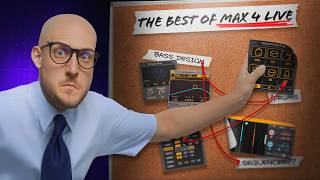
I've tested over 130 Maxwell Life devices to see how far I can push Ableton Live into being the ultimate music making tool.
7 chapters
- Introduction and Testing OverviewProject ScopeTested over 130 Max for Live devices to evaluate their usefulness for music production in Ableton Live.Device Capabilities• Some devices can hack music theory and write melodies • Others spark creative ideas • Many speed up workflow • Some are not worth using at allValue PropositionMax for Life devices are typically much cheaper than third-party plugins that perform similar functions.Video FocusContent focuses on devices that are actually useful, fun, and worth the investment, starting with free options.
- Free MIDI GeneratorsString ASR Generator• Create empty MIDI clip with command shift M • Find string in generate tab • Use controls to generate patterns • Can adjust note octave and gate timingDrum Pattern Tool• Generates drum patterns with spot-on execution • Allows changing notes to match your drum rack • Can toggle generation of kick, snare, and clap individually • Supports timing adjustments like 1/8 note timingPaid AlternativeA paid competitor exists but has poor execution with limited pattern variations, making the free version superior.Workflow TipEdit generated patterns manually to add authenticity and avoid accusations of being a fake musician.
- Advanced Pattern Switching and SequencingGroup Switcher DeviceFree device that smoothly switches between audio or MIDI clips inside a group, enabling dynamic pattern variations.LFO Integration• Pair the switcher with LFO set to random mode • Set LFO rate to 1/8 • Map LFO to direction control • Works better with multiple clip variationsPractical ApplicationSix different drop loops with the group switcher create continuously randomized variations during playback.MIDI Bounce SolutionSidebrain's device converts the traditionally complex editing process into a one-click operation for exporting patterns.
- Melody Generators and SequencersMeridian Sequencer• Euclidean sequencer used daily for music production • Lacks built-in scale lock features • Features randomization by pressing jam button • Scrolls through steps, rotations, events, and note variationsPing Pong FeatureAdvanced randomization tool offering maximum possibilities for happy accidents and creative variations.Live 12 LimitationsStock MIDI tools in Live 12 can overcomplicate workflows despite their capabilities.Commands Device• Extract bass notes from chords by setting to lowest and converting • Build new chord progressions efficiently • Best option for basic music theory applications
- Professional Audio Effects and UtilitiesRecommended Effects• BS Audio Tools devices like Disintegrator and Wave Shaper • Spectral Dynamics for frequency-based compression • Stank Face Generator for character effectsSpectral ToolsSpectral Dynamics provides frequency range editing, though the curve interface could be better. Recommend Nasco's Spec Comp as a free alternative or I Feature's competitor version.Daily Driver EffectsOnly the most reliable and frequently used effects survived extensive testing and daily production use.Previous RecommendationsAdditional honorable mentions and effects from previous videos are included in the video description.
- Utility Devices and OrganizationFast Item Loader• Saves custom racks for persistent access across sessions • Drag and drop saved racks into Max folders • Automatically appears in new and old sessions after refreshOrganization WorkflowGroup effects with desired EQ curves, save as custom racks, and load them through Fast Item Loader for consistent setups.Var Speed Device• Superior version of classic utility racks • Includes built-in phase correlation meter • Features face and volume controls with tail EQCritical FeaturesAutomute button prevents hearing delay artifacts when stopping playback, protecting ears from unwanted noise.
- Visual Customization and ConclusionDeaf Man Skin BundleTheme bundle that customizes Ableton Live's appearance with multiple skin options and optional custom font.Installation DetailsInstaller may appear sketchy but creates a copy of Live with all skins included for safe use.Visual VarietyPlenty of skin options available to customize appearance and impress others, though not every skin is equally polished.Resource GuideLinks to all discussed devices are provided in the video description for deeper exploration and access.