These Ableton MIDI Tools Are Getting OUT OF HAND
4 chapters
- Introduction to MIDI Tools and Chord PrinterWhy MIDI Tools MatterMIDI tools like Scaler 3, Expressive Chords, and Hardest Pill to Swallow are not gimmicks. Even experienced keyboard players struggle with constant inspiration, and these tools provide practical solutions for music theory workflows.Getting StartedCreate a new empty MIDI clip by pressing Command+Shift+M, then open the device and select your key and scale.Chord Printer Features• Generates chords based on your selected key and scale • Automatically renames the MIDI clip accordingly • Updates in real time when printing new chords • Lock chords to keep them or switch back to random generationVoicing OptionsAdd bass notes, explore advanced voicing options like major voicing, and try specific chord voicings like Venus chord voicing with detailed descriptions available.
- Ethical Use and Workflow AdjustmentThe Ethics QuestionThere is an ethical and unethical way to use MIDI tools. For decades, producers have used MIDI sequencers to gather ideas and fill spaces, but the real skill comes in adjusting ideas to your taste and vision.Producer Responsibility• Adjust the generated idea to match your taste and vision • Add something meaningful to the initial concept • Add drums and develop the track further • Avoid simply collecting profit with minimal effortDemo AdjustmentThe presenter makes adjustments to the generated chord progression before moving to the next tool demonstration.Audience ConnectionReference to 80s and 90s music kits, suggesting the tool's origin and appeal to producers familiar with classic music production.
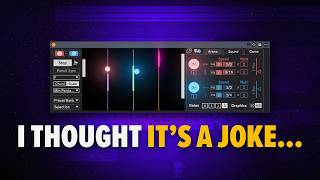
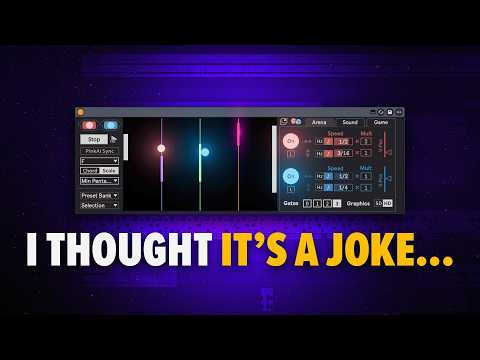
- Exploring the Ball Movement MIDI GeneratorCore ConceptA unique MIDI tool that uses a ball movement visualization to generate melodies. Select your key, choose between chord or scale mode, and use the bow speed to generate notes.Control Parameters• Set gates to control how many notes are generated • Sync or unsync the speed for different effects • Adjust horizontal speed of the ball for varied results • The path of the ball can be synced with tempoQuick InspirationUse the randomize button to instantly generate new patterns. Randomize affects both the arena (ball path) and the sound (pitch range, velocity).Recording and RefinementRecord the entire MIDI sequence to make adjustments. A quick pitch device is available for quick and easy melody modifications without restarting the process.
- Completing the Arrangement and Bass ChallengesArrangement StatusThe demo track now has chords, atmosphere, and a melody, but lacks a crucial bass element to complete the arrangement.Bass Tool Limitations• Sting 2.0 is excellent but primarily generates rhythmical bass patterns • Scaler 3 with linked instances and pattern mixing remains a top choice • No single universal tool covers all bass generation needsSolution ApproachThe presenter decides to record bass manually rather than rely on a single tool for this specific need.Final ThoughtsThe presenter acknowledges there may be additional tools available but admits to not thoroughly checking older videos on MIDI tools for bass solutions.