MIDI Devices that ACTUALLY Improve Your Music (Max 4 Live)
think most of us got high hopes for Midi Tools in life
8 chapters
- The Problem with MIDI GeneratorsGenerator IssuesGenerators are unpredictable, buggy, and no different than randomly hitting keys or pads without proper control.Scale LimitationsTools like Scale Logon produce algorithmic bleeps and blops that aren't useful unless used correctly, lacking musical direction.Why Generators Fail• By the time you learn each generator's parameters, a beginner producer can already make three beats • Generated melodies require significant work to sound different than pure in-scale randomness • Generators promise infinite melodies but often waste time without delivering quality resultsSolution PathIt's better to start with a simple idea and transform it using transform tools rather than relying on generators.
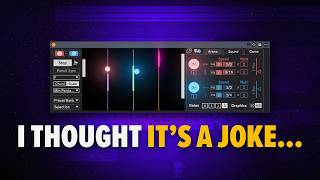
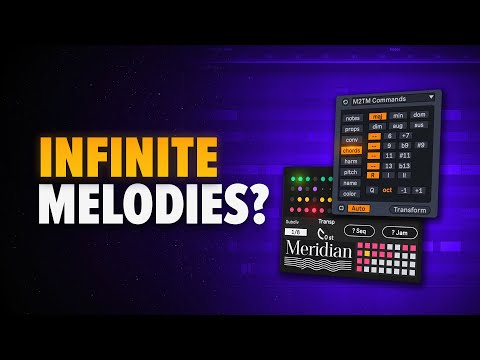
- Meridian: Unique Rhythm and Melody GenerationHow It WorksMeridian generates unique rhythms and melodies using Euclidean sequences, allowing you to set the number of events (notes) in a sequence.Key Features• Generate four different patterns with customizable note counts • Rotate or move sequences left and right • Adjust decay time for better sound character • Use Jam feature for randomization of patternsRandomization PowerThe Jam option randomizes selected patterns, and you can randomize individual notes with control over the amount of pitch shifting between notes.Workaround LimitationMeridian lacks scale awareness, but you can add a scale device after Meridian or create racks as a workaround while waiting for updates.
- Poly Rhythm Tool: Scale-Aware Pattern GenerationScale IntegrationThis tool is scale-aware using Euclidean algorithm and requires setting the root note to match your actual scale (e.g., D sharp 3).Pattern Control• Adjust density of root note appearance • Change scale degrees and generate patterns • Use variation slider to rotate and modify sequences • Decrease length for more variation optionsGenerator Bug AlertA quirk occurs when clicking between different MIDI clips—generated patterns sometimes disappear or pull from previous tools.Bug SolutionPress the Auto button off once you're satisfied with the pattern, or commit to audio to lock in your results.
- Transform Tools: Superior Alternative to GeneratorsWhy Transformers WinUnlike generators, transform tools are more useful and practical for turning simple ideas into complex variations.Tool Categories• Utility devices: simple, focused transformation functions • Collaboration tools: more complex pattern and pitch manipulation • Chord generators for creating progressions • Arpeggiators and melodic convertersGenerator AlternativesMIDI Snake Generator can shuffle gates and notes for ideas, but generated melodies need extensive work to sound musical and different from random in-scale notes.Key TakeawayStart with a simple idea and use transform tools to develop it, rather than spending time learning multiple generator parameters.
- Mutator: Simple Muting and Pattern CreationPrimary FunctionMutator selectively mutes notes in your MIDI using a chance parameter to create variation.Creative UseBy adjusting the chance parameter, you can create cool rhythmic patterns from a baseline by strategically removing notes.Practical ExampleApply Mutator to a baseline and adjust chance values to generate new rhythmic variations from existing melodies.Workflow ValueThough seemingly simple, Mutator is an extremely useful tool for creating pattern variations without complex parameter learning.
- Inebriation and Intra-Shift: Pitch Transformation ToolsInebriation BasicsThis device shifts the pitches of notes by semitones, allowing you to transform melodies upward or downward.Intra-Shift UpgradeThe improved version of Inebriation with more transformation options, allowing combinations like 7 semitones up and 7 semitones down.Selective TransformationYou don't need to transform entire melodies—highlight specific note sections and apply transformations to only those parts.ApplicationThese tools help create variations of melodic ideas by shifting pitch values while maintaining the overall structure and feel.
- Chord Commands: Generate and Invert HarmoniesChord GenerationClick a note and press transform to generate chords—creates major, minor, dominant, diminished, and augmented chords automatically.Chord Types Available• Major and minor chords • Dominant seventh chords • Diminished and augmented variations • Sustained chords and all harmonic variations neededInversions and OctavesGenerate different inversions (root position, first, second) and add root notes at octaves below, above, or both.Melodic Conversion• Convert highest notes to create melodies • Extract median for middle range parts • Extract lowest notes for bassline parts • Use velocity chance and random variations
- Phase Shuffler Pro: Transform Breaks and Vocal ChopsTool PurposePhase Shuffler Pro rearranges slices of audio in MIDI form, originally designed by Philip Mayer and net Rush for manipulating drum breaks.Slice Manipulation• Change slice order to create new rhythmic patterns • Adjust interval speed for faster or slower playback • Works with original brake samples • Create cool drum fills and variationsBeyond DrumsPhase Shuffler Pro is excellent for creative manipulation of vocal chops, extending its usefulness beyond breakbeat production.Creative WorkflowUse slice rearrangement to discover new patterns and variations from existing audio samples without needing additional generation tools.