How To ACTUALLY Use Ableton Live Modulators Like A PRO
Truth is that those three devices I'm about to show you are more than enough to feel like a cool kit yet to not get a headache of too many moving lights
5 chapters
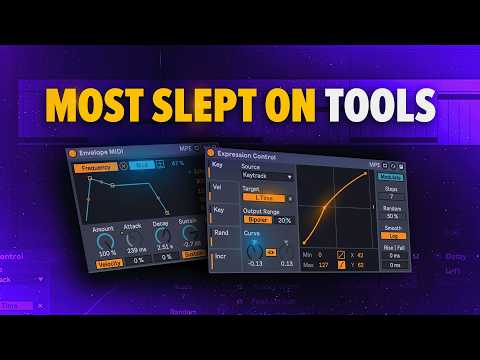
- Introduction to Modulators and Key TrackProblem OverviewComputer-generated music needs more movement and expression to sound good, which can be achieved through modulators, step sequencers, and LFOs.SolutionThree essential devices are sufficient to create expressive music without becoming overwhelmed by too many options.Key Track Feature• Follows the pitch of the keys you play • Can be assigned to parameters like filter cutoff • Allows simultaneous parameter control and modulation without losing modulation pathsCurve CustomizationCurves can be adjusted to shape modulation behavior, controlling the amount and start/end positions of modulation for different effects.
- Delay Time Modulation and EnvelopeBasic ApplicationModulators can control delay time parameters to create interesting looping effects.Delay Modes• Rampade: smoothest and most musical option • Jump: can be glitchy but works well for granular-style effects • Ping Pong: creates synchronized rhythmic variationsSource OptionsRandom and Increment sources can be used to add unpredictable variation or pseudo step sequencer functionality.Creative EffectsCombining key track modulation with delay modes creates unique atmospheric and granular-textured sounds.
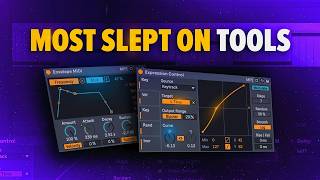
- Envelope Shaper and MIDI ModulationPrimary FunctionEnvelope Shaper is more useful than expected and can solve modulation source limitations by controlling effects like Auto Filter frequency.Practical ExampleAttack parameter can be renamed and assigned to create filter rise effects at the beginning of notes, significantly changing the sound character.Effect Control• Can modulate effect parameters like Spectral Resonator dry/wet mix • Pitch modulation and envelope control can work together on the same effect • Works better than basic envelope follower when working on MIDI tracksUse CasesIdeal for controlling all effects on MIDI tracks and creating complex modulation relationships between multiple parameters.
- Shaper Device for Step SequencingDrawing FunctionalityShaper allows drawing custom step sequences instead of using preset shapes, creating unlimited step sequencer-like workflows.Loop Modes• Loop mode: repeats the shape throughout time continuously • One Shot: runs through shape once when triggered • Manual mode: allows manual scanning through the shape with a dialControl ParametersLower controls introduce variation and smoothing options, while mode selection and trigger settings determine how the shape is applied to parameters.Practical ApplicationCan map drawn sequences to parameters like Saturator drive for dynamic, evolving sounds without complex setup.
- Building Racks and Advanced WorkflowRack BuildingManual mode works great for building custom racks and effects chains rather than traditional automation in the arrangement view.Preset SharingAll sounds from the project are available in the description for download and study.Future ContentA full tutorial on building racks in Ableton Live is planned for future release.Next StepsTo explore more complex modulation examples and advanced techniques, refer to the related video covering both basics and complex modulation scenarios.