This Ableton Drum HACK Changes Everything
4 chapters
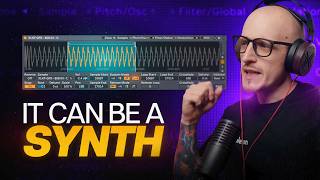
- Introduction to Drum Sampler vs SimplerCommon PracticeMost producers use Simpler as their go-to device for making drums in Ableton Live 12.The ProblemUsing Simpler limits your options for creating professional drum patterns compared to a better, easier approach.Key DifferenceDrum Sampler allows decay modulation based on velocity, which creates more realistic and dynamic drum sounds compared to Simpler's approach.Why It MattersThis technique mimics how real drums work: harder hits produce longer sustained sounds, creating more natural-sounding drum patterns.
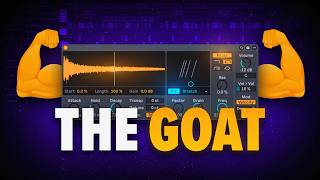
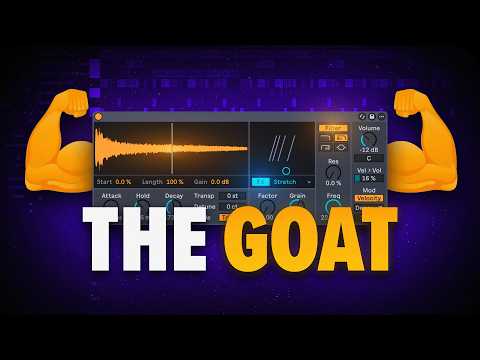
- Velocity-to-Decay Modulation TechniqueCore FeatureDrum Sampler's modulation source is set to velocity by default, allowing you to control how samples respond to hit intensity.Crucial ParameterThe decay parameter is the most important setting, controlling how long each sample plays based on the velocity of the note.Setup Process• Set modulation source to velocity • Drag the decay slider to 100% • Play with hold and decay to find the right starting point • Use velocity shaper MIDI tool to control rides and cymbalsReal-World ApplicationThis replicates how real drum sets work: harder strikes on cymbals create longer sustain, while softer hits produce shorter, dampened sounds.
- Practical Drum Sound OptimizationWorkflow EnhancementUse the extract chains feature to solo specific drums, making it easier to work on individual sounds without the clutter of the full drum loop.Volume ControlAdjust the velocity-to-volume parameter to handle quiet sounds; dragging it down ensures velocity only controls decay length, not volume changes.Efficiency StrategyInstead of layering multiple hat sounds (open hat, closed hat, right hand, different cymbals), use a single sample with velocity-to-decay modulation to act as multiple sounds.ResultThis approach creates realistic, responsive drum sounds that behave like a real drum kit while reducing complexity in your project.
- Drum Sampler as Effects UnitExpanded CapabilityDrum Sampler can be used as an effects unit by dragging and dropping any audio, including melodic loops and drum loops, into the device.Loading Process• Select the drum loop or audio sample • Press Command+B in Ableton Live 12.2+ to automatically convert to sampler format • Drag the processed audio into Drum Sampler • Draw a MIDI note on C3 to maintain original pitch and timingEffect ParametersThe stretch and loop parameters work effectively for creating creative effects; set hold to infinity to play the entire drum loop when triggered.Creative LimitationsNot all effects work well with this method; FM modulation only plays at the beginning of the sample trigger, while stretch and loop parameters produce interesting happy accidents worth resampling.