INSANE Ableton Tricks Only 10% Users Know
4 chapitres
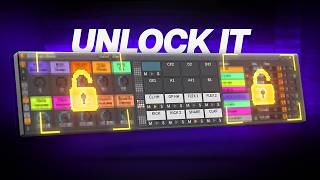
- Organizing Drum Racks with Extract ChainsProblem SetupWhen working with drum racks, messy patterns make it difficult to apply effects or mix sounds effectively, requiring constant switching between Arrangement and Session views or resampling tracks.Extract Solution• Select the drum chains you want to extract from the drum rack • Click extract chains to separate them into individual tracks • Extracted chains appear at the bottom of the arrangement and can be moved back to your drum group • Now each key element sits on a different track for cleaner organizationOrganization Techniques• Color code and rename tracks for visual clarity • Use Max for Life devices to enhance track organization • Select all created tracks and press Shift+Tab to collapse and switch between them while maintaining contextBenefits AchievedYou can change patterns and placements while still knowing the context of your sounds, creating a cleaner and more organized workflow for drum production.
- Using Envelope MIDI for Effect TriggeringTraditional ProblemAdding effects typically requires drawing automations or playing with envelopes, which can be time-consuming and complex in the workflow.Envelope MIDI Method• Drop Envelope MIDI on an empty drum cell inside your drum rack • Map it to a parameter you want to control, such as a knob in Drum Sampler • Trigger the effect by placing a note where you want the envelope to activate • Adjust modulation to control effect intensity and timingExtended ApplicationsYou're not limited to effects inside the drum rack; drop effect racks on the drum group itself and map additional Envelope MIDI devices to control multiple parameters across the entire group.Creative FreedomThis approach allows intuitive effect triggering without traditional automations, giving you more control and flexibility in your sound design and arrangement.
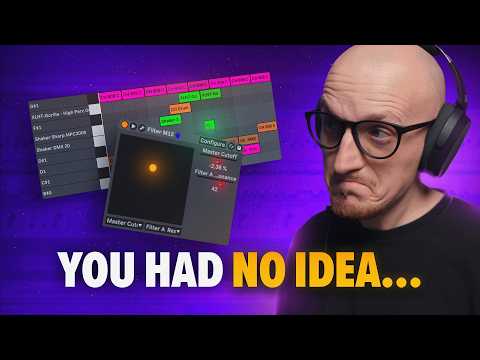
- XY Pad Automation for Filter ControlBasic Setup• Extend the plugin window to reveal automation and mapping options • Click configure to choose which parameters you want to automate • Select parameters for X-axis (left to right) and Y-axis (up and down) controlFilter ExampleYou can automate cutoff frequency on the X-axis and resonance on the Y-axis simultaneously, allowing intuitive real-time control of the filter with the XY pad visualization.Recording Automation• Click the plus icon to enable MIDI overwrite mode before recording automation • Record your XY pad movements to create automation lanes for each parameter • Use simplify envelope to reduce the number of automation points for cleaner curvesAdvanced ControlThe free Max for Life device allows modulating up to four parameters for both X and Y axes with selectable modulation types and ranges, working with stock effects, Max for Life effects, and third-party plugins.
- Performance and Live ApplicationsLive Performance ImpactThe organization techniques with drum racks and the effect triggering methods shown would be game-changers for live performers and musicians using Ableton.Key Techniques Summary• Extract chains for organized drum arrangement • Use Envelope MIDI for seamless effect triggering • Leverage XY pad automation for complex parameter control • Apply Max for Life devices to expand creative possibilitiesWorkflow BenefitsThese tips eliminate the need for constant context switching, reduce automation tedium, and provide intuitive control over multiple parameters simultaneously.Further LearningCheck additional tutorials for more advanced Ableton tips that may be even more powerful than the techniques shown in this video.