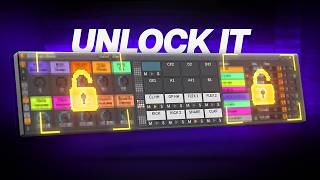
Is This THE BEST Ableton Device Ever?
8 chapitres
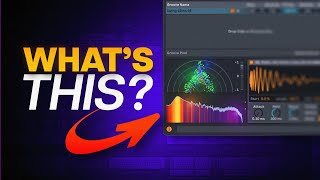
- Introduction to Expressive ChordsDevice OverviewExpressive Chords is a new Ableton device that allows users to play chords with single key presses, featuring expression controls that make it more than just a toy.Key AdvantageThe expression capabilities differentiate it from other chord-playing plugins and devices, making performances sound like extensive piano practice without the years of training.Current PerceptionWhile the default presets feel limiting, users can create custom presets to unlock the device's full potential.Comparison IntentThe video promises a full guide and comparison with Scalar 3, currently the most hyped MIDI plugin of the year.
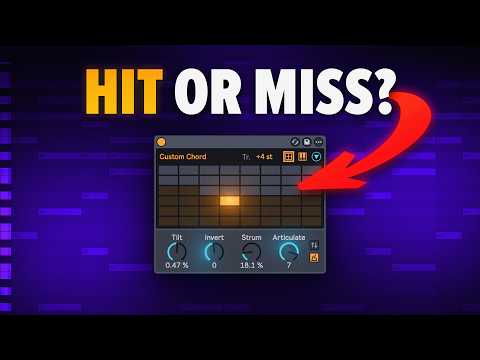
- Core Parameters and ControlsMain Parameters• Tilt: accentuates low or high notes of your chord • Invert: revoices chords • Strum: controls strumming of notes • Articulate: sets different playing options and orderMIDI Tool IntegrationThese parameters are basically MIDI tools known from clips, but now made playable in real time for automation purposes.Variation KnobA randomization feature that randomizes all available options, providing quick inspiration and variation with minimal effort.Input Methods• Any MIDI keyboard • Mouse control • MP controller for maximum expressiveness • Variation knob for quick randomization
- Modulation and Controller MappingModulation FeaturesUsers can modulate parameters like strum with MP controller slide, offering performance control options.Current LimitationIn beta, modulation only works once per activation, limiting real-time performance capabilities and making parameter modulation less practical.WorkaroundManual strumming and manipulation of parameters directly provides better results than attempting to use modulation mapping in the current beta version.Future PotentialThe modulation feature may work properly in the official release version, making it a valuable tool for expressive performances.
- Working with Presets and Chord ImportDefault PresetsThe device comes with a small selection of presets suitable for jamming, but users without ear training struggle to identify the key or scale.Import Process• Import custom chords from MIDI clips or tracks • Chords must be quarter note length without gaps • Set all chords to quarter note duration first • Delete gaps by connecting chords together • Click import to add them to the deviceChord DisplayThe device shows chord information and alternative display options, helping users understand what they're playing.Creator PresetsThe creator made 10 custom presets set to C major with the first part always as one, helping transposed compositions remain identifiable.
- Routing and MIDI IntegrationOutput ChallengeMIDI devices like Expressive Chords don't directly output chords, requiring workaround routing to capture chord information.Routing Setup• Place Expressive Chords on an empty MIDI track • Select it as input source on your instrument track • Switch the input to 'in' mode • Record both together or create patterns separatelyRecording OptionsUsers can either record the chord device and instrument simultaneously or create patterns independently and record them together.Practical ApplicationThis routing method works with any instrument, enabling chord-based composition using Expressive Chords.
- Comparison with Scalar 3Scalar Strengths• More powerful overall functionality • Eliminates need to know or guess chord names • Includes song building and structuring toolsScalar Weaknesses• Performance tools are buggy in comparison • Requires extensive menu diving for controls • Song building features similar to basic piano roll usageExpressive Chords AdvantageProvides direct inspiration and creative flow with minimal controls needed, prioritizing performance over complexity.WinnerAbleton did a better job with Expressive Chords for performance and creative inspiration, while Scalar 3 excels in power and features.
- Creative Combinations and ArpeggiatorsMaximum FunThe most enjoyable use comes from combining Expressive Chords with other MIDI tools like arpeggiators.Arpeggiator Options• Arturia plugins with legendary Roland 8000 emulation • Max for Life device (5 dollars) • Free Max for Life Essentials pack • Ableton stock arpeggiatorParameter InteractionThe key is modulating arpeggiator parameters like strum, articulate, and others with Expressive Chords controls to create dynamic performances.RecommendationStock arpeggiators work fine since the focus is on how Expressive Chords parameters affect the arp output, not the specific arp model.
- Final Verdict and ConclusionBeta StatusAbleton Live 12.2.2 and Expressive Chords remain in beta with ongoing improvements, including strumming quantization options.Device VerdictExpressive Chords is a cool device for quick inspiration and chord-based composition, especially for users without formal chord knowledge.Setup InvestmentWhile importing custom chords requires preparation work, dedicating time to create cool patterns and progressions is worthwhile for songwriting.Best Use CaseIdeal for writing songs by playing different chord progressions in real time with expressive control, even after setup and preparation.