Why You DON'T NEED Plugins to Make Heavy Bass (Stock Ableton ONLY)
5 chapitres
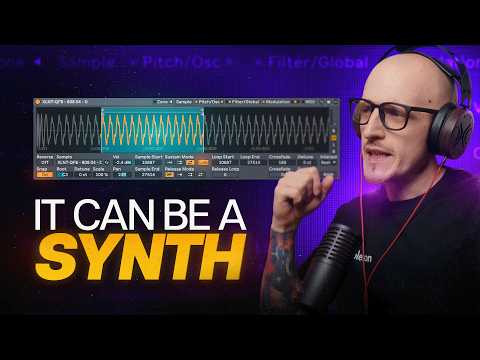
- Foundation of Bass Design with Simple Waves and FMCore ConceptBass music presets are built on simple waves, FM, and effects. Simple sounds can transform into complex heavy bass entirely with stock tools.Initial Setup• Activate oscillator in the pitch and oscillator tab • Increase oscillator volume to achieve heavy bass tones • Adjust pitch of oscillator to control frequency rangeKey Trap to AvoidAvoid trying to create the low bass tone directly. Instead, use filters, effects, and modulation to shape the sound properly.Practical Application• Decrease filter cutoff for character • Increase drive and resonance for peak tone • Use built-in shaper tool for crunchy effects
- Advanced Filter and Envelope Modulation TechniquesFilter Shaper OrderThe order of shaper and filter matters significantly. Placing filter first, then shaper produces the desired crunchy effect.Envelope Control• Use filter envelope to modulate the sound dynamically • Increase decay time to extend the modulation effect • Adjust amount parameter to control intensityExtended ModulationAccess OX envelope and three LFOs to modulate parameters beyond standard filter, such as shaper amount.Creative ShapingModulate shaper amount with LFO for continuously evolving texture and character in the bass sound.
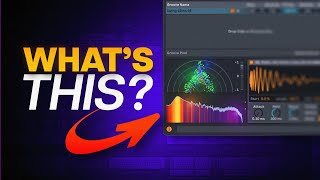
- Reverb and Convolution for Unique OvertonesConvolution MethodUse only the convolution part of reverb to add character and texture to the bass sound.Texture Selection• Browse textures pack for pre-made convolution samples • Drag custom samples for unique convolution results • Experiment with different impulse responsesSample Adjustment• Use decay and size controls to adjust sample length • Apply vintage slider to add grit and character • Mix dry and wet signals to tasteSound EnhancementConvolution adds cool overtones and richness that elevate the overall bass tone beyond basic synthesis.
- Distortion Shaper Techniques and Creative UsesSerial Shaper SetupUse distortion shaper in serial mode to chain multiple shaping algorithms for complex tone sculpting.Key Shaper Types• Noise injection for texture addition • Half-wave rectifier for harmonic distortion • Full-wave rectifier for even more aggressive tones • Bias adjustment for subtle tone modificationsFilter CustomizationChange shaper filter type to options like dispersion, then increase resonance and modulate filter frequency with envelope for unique sound design.Sonic ResultsThese techniques create aggressive, bass-heavy tones suitable for professional bass music production.
- Phase Modulation and Max for Live DevicesPhase Modulation BasicsA stock-looking device uses phase modulation, which sounds very similar to FM synthesis and appeals to bass music producers.Modulation Options• Switch oscillator self-modulation mode to oscillator for different sound characteristics • Lock modulation to frequency for consistent harmonic results • Lock modulation to pitch for note-dependent modulation effectsLive Performance IntegrationUse MIDI control and side chain the device with MIDI signals to create dynamic, evolving bass patterns from simple riffs.Max for Life AdvantageBS Audio Tools Max for Life devices provide unique phase modulation capabilities unavailable in standard Ableton instruments.