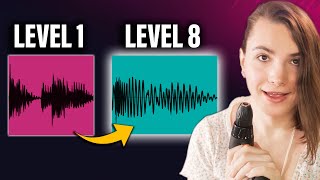

Get Your Bass Levels Right, Everytime! 🤯
getting your bass levels right is one of the biggest issues with all type of producers and today I have developed this flowchart to help you nail that low end every time
5 chapters
- Introduction and Reference Track SelectionMain ProblemBass level adjustment is one of the biggest issues producers face across all genres and skill levelsSolution OverviewA flowchart-based system has been developed to help consistently nail the low end in your tracksFirst StepPick a reference track that is relatively close to what you are making to avoid comparing apples and orangesTrack ExampleA personal track called 'Veil' is used as a reference example to demonstrate the process
- Compression and Sub-bass IsolationCheck CompressionExamine if your reference track is compressed by looking at the waveform; a sausage-like appearance indicates heavy compressionMatch Compression• Compress your track to match the reference, using tools like FabFilter Pro L2 • Apply compression at the limit to emulate the same effect as the reference trackFilter ApplicationAdd a low-pass filter around 60Hz to both your track and reference track to isolate just the sub-bass frequenciesResultThis filtering helps you focus on and compare only the sub-bass layer without interference from other frequencies
- Peak Level Matching with MeteringTool IntroductionUse the free plugin Yuli Learns Meter to visualize and compare peak levels between your track and the referenceMeter Setup• Turn off the loudness setting in the meter • Bring down the scale so you can see what's happening more clearlyPeak AdjustmentOpen both tracks side by side and adjust the levels so the peaks match visually; if necessary, use a utility plugin to bring down the volumeFine-tuningThe goal is similar peak levels, not exactly identical; account for the kick hitting harder and the sub-bass needing adjustment separately
- Bass Body Analysis and EQ AdjustmentDefine BodyThe bass body refers to the frequencies between 20Hz and 200Hz; this is different from the sub-bass you isolated earlierEQ Technique• Use a band-pass filter set to 20-200Hz to isolate just the body of the sound • Duplicate the EQ on your reference track using high-pass at 20Hz and low-pass at 200HzLayer DecisionDetermine if your bass is a single sound or multiple layers; layered bass allows volume adjustment while single sounds may need filter cutoff or saturationMatching StrategyDon't aim for exact level matching; instead, stay in the ballpark and account for different character types between tracks
- Final Adjustments and ListeningVerify CompressionCheck your compressor settings from the beginning; if compression is around 1-2dB, volume adjustments made during the process have minimal impact and are acceptableComplete the CircleAfter finishing all adjustments, go back and review the entire process one more time to ensure all volume adjustments are appropriateRemove FiltersRemove all the low-pass and band-pass filters you added during analysis and listen to the full bass without constraintsTaste-based RefinementMake small, final adjustments based on your preference and what sounds right; add warmth and beefiness to emphasize your bass character