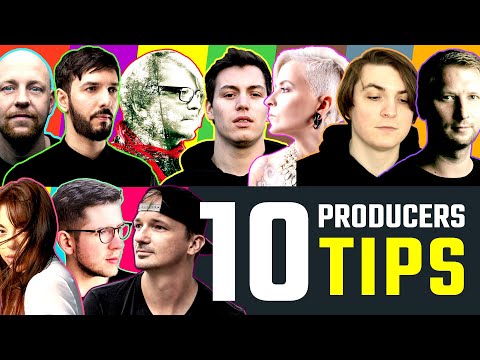
Professional producers share their secrets: 10 Producers 10 Tips
today i have gathered your favorite producers to get their tips to improve your production skills
9 capitulos
- Marius Drescher - Create Your Own StyleCore PrincipleCreating your own style is essential in music production, not just copying existing artists.Inspiration Process• Get inspired by other artists and their techniques • Learn specific techniques that appeal to you • Study how others approach their craftPersonal TouchYou must give your own spin and touch to inspired ideas, making your own signature sound.Purpose ReflectionReflect on your motivation: are you making music to copy someone, or to create something new and express your own thoughts and feelings?
- Blancah - Melody Sauce PluginCreative ApproachUsing randomness and chance to be surprised by unexpected melodic results in your creative process.Tool Features• Melody Sauce generates random melodies automatically • Choose the key and speed of your melody • Adjust transpose, swing, and triplet parameters • Select melody complexity (simple, complex, or mixed)Sound CustomizationConfigure vibes ranging from light to dark, allowing you to shape the overall character of generated melodies.Workflow IntegrationDrag and drop generated melodies into your project and edit them as you wish for further customization.
- François - Layer Synth with Strong SamplesLayering ConceptCombining synth sounds with strong samples creates a more edgy and powerful sound in your tracks.Break Section Technique• Layer base with percussion and ride • Makes the element stand out more powerfully • Covers higher frequencies effectivelyDrop Section ApplicationLayer a base with smooth attack together with a kick with harsher transient to help the bass gain edge and stand out in the mix.ResultsThis layering approach delivers much more edge, power, and clarity to your track elements.
- Enabled - Extract Groove for Rhythm MatchingProblem SolutionWhen two loops don't fit together rhythmically, extract and match their grooves to create perfect synchronization.Extraction Process• Copy the groove you like most to another track • Add delay so the groove plays straight on all 16's • Record the output from this track • Right-click and extract groove from the recordingApplicationApply the extracted groove to the loop that didn't fit by selecting it from the groove pool, ensuring the same swing is applied.Final ResultCommit the changes so the swing stays permanently, allowing both loops to play perfectly together before starting sound design.
- Modeplex - Effect-Based Sound ProcessingStarting PointLoad a standard synth sound such as a basic preset in Diva or other synthesizers like Serum.Distortion Processing• Open Guitar Rig and use Pitch Panel • Push the parameter all the way down • Create a heavily distorted sound with artifactsFinishing TouchAdd reverb and delay to complete the effect-based sound design.Genre ApplicationThis processing technique works well for melodic techno production and is applicable to various synth and VST options.
- Lauren Mia - Mono Low End MixingCore ImportanceThe low end contains the highest amount of energy and is the main source of energy in your track, making it crucial to mix properly.ChallengeLow end mixing is difficult to get sounding crisp, centered, and warm without becoming muddy.Solution• Use Ableton's Utility plugin on your kick and bass tracks • Enable base mono function • Adjust the Hertz parameter to your preference • This ensures frequencies come from both monitors at the exact same timeBenefitsMono low end keeps your mix centered and warm while preventing phase issues when playing on larger monitor systems.
- Rauschhaus - Add Movement to Hi-HatsImportanceAdding movement to hi-hats is one of the most important parts of creating an engaging track.MIDI Effects Layer• Go to MIDI effects and add Random preset • Adjust the random parameter down slightly • This creates dynamic variations in the hi-hat patternAudio ProcessingAdd a vocoder to the hi-hat track in front of the EQ to shape and modulate the hi-hat sound.AutomationPlay around with the vocoder release parameter and apply automation to create evolving movement throughout your track.
- Robert Babicz - Low Volume Mix CheckingTechnique OverviewListen to your track at the lowest possible volume to accurately assess your mix balance, even in untreated rooms.Quality IndicatorIf your mix down is well-balanced, you will be able to hear all elements clearly at the lowest possible volume.Problem Detection• Identify elements that stick out too loud like super loud hi-hats • Spot kick drums that need reduction • Find any other imbalanced elements in the mixBenefitThis simple and easy method helps you understand if your mix down is well-balanced and will significantly improve your mixing quality.
- Biskuwi - Clap Placement and TimingCore PrincipleThinking carefully about where you place your clap sample when producing your track is extremely important for groove and impact.Grid Quantization IssueWhen your clap sample is quantized exactly to the grid point like the kick, it locks the groove you are looking for in your track.Groove Manipulation• Place clap slightly before the grid point to almost feel like increasing the RPM • Move clap after the grid point around the drag to feel like bit lagging • These small timing adjustments create dynamic groovesTechnical BenefitOffsetting clap placement by even a small amount away from the grid where kick hits exactly gives significant headroom improvement, potentially gaining over 1 DB in master loudness compared to quantized placement.