Tricks to make your Hi-Hats sound more interesting | Ableton Live For Beginners
7 capitulos
- Introduction to Hi-Hat Production TechniquesOverviewThis tutorial focuses on practical tricks to make hi-hat sounds more interesting in music production, specifically for minimal techno and ambient tracks.Key Techniques• Velocity control • House effect • Side-chaining • Panning and stereo wideningDemo SetupThe instructor demonstrates these techniques using a hypnotic minimal techno ambient loop with initially boring hi-hats that lack movement and interest.PurposeThese tricks are commonly used by professional producers to add depth and interest to repetitive hi-hat patterns in techno and house music.
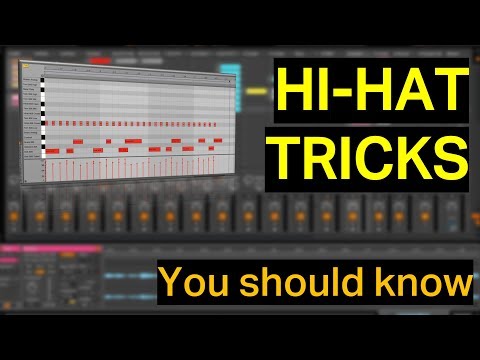
- Velocity Control and MovementTechnique ExplainedControl the velocity of each hi-hat to create movement within the hi-hat pattern itself, making the sound more dynamic and less repetitive.Implementation Steps• Increase velocity dependency to around 60 percent • Draw velocity curves using Ctrl+click to create automated velocity changes • Create an up-and-down pattern to simulate side-chain effects without using a compressorSound ResultThe hi-hat gains subtle movement and becomes noticeably more interesting than the original flat, static sound.Production ContextMinimal and techno tracks rely on this type of movement in the sound to maintain listener interest despite the repetitive nature of the genre.
- House Effect Using Ping Pong DelayWhat is House EffectThe house effect is created by delaying one channel slightly more than the other, causing the ears to perceive the sound as having stereo width and movement.Setup Process• Add a Ping Pong Delay device from Ableton • Set the wet/dry mix to around 50 percent to control the initial signal panning • Decrease feedback all the way down to eliminate repeating delays • Set delay time between 5-15 milliseconds depending on sample lengthTiming GuidelinesShorter samples benefit from 5-8 milliseconds, while longer samples work better with 12-15 milliseconds. Adjust by ear while playing the track.Sonic EffectThe signal appears split between left and right channels, creating a wider stereo image that makes the hi-hat sound more spacious and interesting.
- Side-Chaining with CompressorSetup MethodAdd a compressor on top of the hi-hat track and route the kick drum as the sidechain input to create dynamic level changes.Configuration• Use a short kick sample for sidechain input (original kick is too long) • Mute the sidechain kick so it only controls the compressor without being heard • Adjust compression threshold to create noticeable hi-hat duckingMixing PracticeAlways listen to the complete loop or track when applying sidechain, not isolated sounds, to avoid over-processing and maintain balance.ResultThe hi-hats respond dynamically to the kick drum, creating a tighter, more cohesive groove with the kick providing rhythmic control.
- Panning and Stereo MovementManual PanningClick the pan knob and manually adjust the hi-hat position between left and right channels for subtle movement within the stereo field.Auto Pan DeviceFor repetitive hi-hat patterns, use Ableton's Auto Pan device to create automated, continuous left-to-right movement without manual adjustment.Effect IntensityStereo panning can be adjusted from subtle movements to more drastic sweeping effects depending on the desired impact and the overall mix.Sonic ImpactThe listener hears movement in the stereo field, adding another dimension of interest to the hi-hat pattern and making it less static.
- Final Enhancement with Utility DeviceUtility Device BenefitsThe Utility device provides both gain control and stereo widening capabilities, offering more refined control than individual parameter adjustments.Implementation• Add Utility device as the final effect in the chain • Use the stereo width option to expand the overall image • Control output gain to prevent clipping and maintain proper levelsCumulative EffectBy combining velocity control, house effect, sidechain compression, panning, and stereo widening, the hi-hat transforms from a boring repetitive sound into an interesting, dynamic element.Production AdviceUse these effects selectively based on personal taste rather than applying all simultaneously. Choose the techniques that best serve the specific track and mix context.
- Summary and ConclusionTransformation OverviewThe hi-hat evolved from a flat, boring sound to a dynamic, interesting element through the application of multiple production techniques.Applied Techniques• Velocity variation for dynamic volume changes • House effect for stereo depth • Side-chaining to the kick for rhythmic control • Panning and auto-panning for stereo movement • Stereo widening for overall spaciousnessKey TakeawayThese techniques can be used individually or in combination depending on taste and the specific requirements of the track being produced.Call to ActionThe instructor encourages viewers to subscribe and provides motivation for creating future tutorial content.