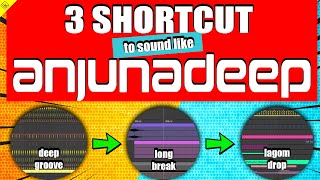
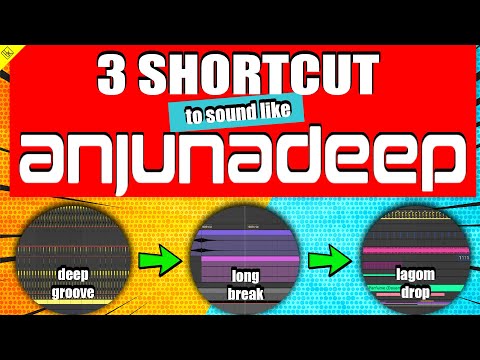
3 SHORTCUTS to sound like HOUSE music from ANJUNADEEP
in 2020 there is only one place we all want to be if you are producer interested in deep and progressive house
10 chapitres
- Introduction and OverviewContextIn 2020, Anjunadeep is the pinnacle destination for deep and progressive house producers.Key GoalLearn three essential shortcuts to produce music that matches the Anjunadeep sound.Shortcut Overview• Deep groove • Long ambient break • Lagom dropStructureThe video will walk through each technique in detail with practical demonstrations.
- Deep Groove FoundationCore Elements• Deep, long kick samples form the rhythmic foundation • Hi-hat layering is the critical technique for deep house impactHi-Hat Layering• Layer a classic 909 hihat sample with a shortened tail as the base • Add a shorter, clickier sample on top for initial attack • Include a noisy shaker sample for brightness and character contrastProcessing Techniques• Slight timing variations on each hit using groove pool or manual nudging • Apply overdrive to add saturation and control brightness • Use utility plugin to balance gain after overdriveEnhancing Playfulness• Add organic percussion samples that sound like shakers or metal elements • Randomize hit patterns to create human-like feel • Pan percussion left and right for spatial interest
- Percussion Groove RefinementAdditional PercussionAdd hi-hat percussion sounds at the high end using organic shaker or metal samples to make the groove more interesting and grippier.Automation Techniques• Apply velocity randomization to humanize hits • Use auto pan with random mode for movement • Create ramp-like envelopes for progressive intensityFrequency FocusApply EQ to keep sounds high-pitched and presence-filled, avoiding muddiness.Clap and Snare Layering• Layer 808 or 909 clap with snare for richness • Use additional textured samples to add color • Balance volumes so each layer is distinct
- Drum Processing and CohesionGlue CompressionApply glue compressor to snares with increased attack to create snappy, transient-rich hits or reduced attack for washy, squashed sound.EQ AdjustmentsCut low frequencies from claps and snares to maintain clarity and avoid muddiness in the mix.Reverb and Space• Create a room reverb using smaller size and shorter decay • Send claps and hi-hats to the reverb for cohesion • Use gate on reverb tail to prevent excessive decayCymbal Effects• Offset symbols slightly from the grid for smoother character • Apply reverb and compress with kick sidechain to create pumping effect • Use auto pan with offset shape for left-right panning movement
- Bass FoundationSub-Bass Layer• Use Serum with 24dB filter for deep, dark bass sound • Keep notes stable with minimal movement for sub-bass character • Sidechain compress to the kick with look-ahead enabledReese Bass Layer• Activate borders layers using Analog Basic Mini oscillator • Set to mono in global settings for compatibility and impact • Add unison voices and distortion for growling characterProcessing Stack• Apply distortion using egg shaper for harmonic enhancement • Use multiband compression to control specific frequency ranges • Add reverb and EQ to shape the final toneGroup Mastering• Group low frequencies together and call it 'Low' • Apply glue compressor to maintain tightness • Use channel EQ with boost in mid-lows for presence
- Ambient Break PadsSerum Pad Design• Use two digital oscillators shaped like merging supersaw patterns • Create long attack, decay, and release envelope for paddy texture • Add filter movement using LFO on wavetable position for subtle variationPad Effects• Apply chorus for width and lushness • Add large reverb for ambient spaciousness • Sidechain compress from the low end for rhythmic pumpingMassive X PadUse the classic Massive X 'Deep Blue' pad preset for a built-in deep, washy ambient sound.Spatial Processing• Pan pads around stereo field using auto pan • Apply EQ boost on high end for brightness • Use sidechain compression for dynamic movement
- Pluck and ResonancePluck Foundation• Use sine wave distorted with wavetable movement for guitar-like character • Create fast attack and decay envelope for percussive attack • Apply resonant filter with separate envelope for plucking effectDistortion DesignUse egg shaper distortion to add harmonic character and aggression without losing definition.Frequency Control• Apply multiband compression to control frequency-specific dynamics • Use large reverb for spaciousness • Add glue compressor to glue all elements togetherFinal Shaping• Boost high end with EQ for presence • Cut extreme frequencies to maintain clarity • Balance with other elements in the break section
- Ambient Break EffectsInfinite Reverb Loop• Set feedback to over 100 percent to create self-feeding positive loop • Send pad sounds right before their end to create swirling ambience • Route multiple sounds to the same reverb for cohesionFiltering Effects• Use band filter on high-pass sounds and automate for movement • Apply flanger and phaser for weird resonant character • Slowly filter out high and low frequencies for underwater effectAmbient Textures• Layer ambient noise samples from preset packs • Create reversed symbols using big reverb and resample technique • Freeze reverb to capture atmospheric momentsReverb Symbol Technique• Place large reverb on symbol or percussion sample • Apply resample to record the reverb tail • Reverse the sample to create ethereal symbol spell effect
- Drop Section DynamicsTransition Back• Open up all filtering to return from underwater ambient sound • Gradually bring back high end frequencies • Reintroduce kick and bass with full intensityPercussion Builds• Add simple snare drum roll for momentum • Use tom hits with utility automation to increase volume progressively • Layer additional percussion for energyFinal Crashes• Bring back reversed symbol effects • Layer white noise with automation for rise effect • Create filter sweeps using high-pass or low-pass automationFull ResolutionReturn to full groove with all elements including energized hi-hats, drums, bass, and original textures at full intensity.
- ConclusionKey Takeaways• Deep groove is built through intelligent hi-hat and percussion layering • Ambient breaks utilize reverb feedback loops and filtering effects • Drop sections use gradual opening and intensity buildingProduction PrinciplesThe Anjunadeep sound relies on layering simple elements, reusing effects creatively, and creating depth through space and automation.Practice ElementsViewers can pause the video to examine specific parameters and MIDI notes in detail for their own production work.Call to Action• Like and subscribe to the channel • Comment suggestions for future tracks to analyze