How Industry Producers Make Risers and Snare Rolls (And Why They Sound Good)
5 chapitres
- Building Pro Snare Rolls with HumanizationFoundation SetupStart with a snare sample from a drum sample pack using Drum Rack or any preferred tool. Create a 16-step pattern as the base for building the roll.Adding Dynamics• Accentuate notes between the main beats to create interest • Apply one-up-one-down velocity patterns to make the roll feel more natural • Add minimal groove offset using tools like Singling Logic to move notes slightly off-gridSound Design• Extend sample length using fade-out controls to adjust decay length • Apply auto-filter automation with both low-pass and high-pass filters moving in opposite directions • Add reverb or delay before filters to create a washing, smeared effectFinal PolishUse transient shaper to increase decay if fade controls aren't available. Keep the sound clean by avoiding pitch automation in techno-style tracks.
- Creating Combo Percussion EffectsLayering StrategyAdd clap samples alongside snare rolls with different patterns to avoid masking. This creates separate, distinguishable elements that build excitement.Pattern Variation• Use accelerating snare patterns that speed up progressively • Design clap patterns that differ from the snare to maintain clarity • Combine elements with varying rhythmic approachesProcessing Each LayerApply different effects to each percussion element, such as echo on claps, to help them separate from snares. This maintains distinctiveness while building intensity.High-End EnhancementAdd cymbal samples on the high end to create additional separation and layering depth. This adds brightness and extends the tonal range of the combo.
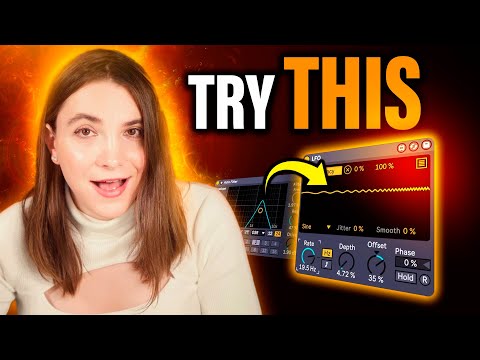
- Crafting Dynamic RisersSource SelectionCreate custom riser sounds rather than relying on stock samples, which often sound clichéd. Use techno presets from synthesizers like Serum or custom-built sounds matching your track's needs.Pitch & Frequency Movement• Automate filter bandwidth to move through desired frequency ranges • Map LFO to filter frequency for continuous unstable movement • Reach the peak sound slightly before the riser ends for maximum satisfactionMovement ControlAdjust LFO offset to create forward-opening motion, automating from negative to positive values. Increase LFO rate automation so the filter moves faster as the riser progresses.Compression & DynamicsApply sidechain compression to create volume movement from background to foreground. Use small gain automation to maintain smooth level control throughout the riser's evolution.
- Designing Sweeps and TransitionsResampling TechniqueSample existing track elements by applying heavy reverb, removing low frequencies, then freezing and resampling the result. This creates organic noise sweeps from your own audio.Texture Development• Process resampled noise with shimmer and overdrive effects • Use the same auto-filter and LFO settings as risers for coherence • Apply auto-pan with increasing rate to create stereo movementSynchronized EffectsMatch sweep effects to riser effects using identical filter automation and LFO patterns. This creates a unified sound that feels intentional and cohesive within the track.Balance & IntegrationUse billet compression to balance all elements. Test sweeps and risers together to ensure they fit naturally into your track's progression.
- Using Reverses as Excitement ToolsReverse Processing• Apply heavy reverb to a sound and EQ to catch high-end frequencies • Resample the reverberated sound for cleaner reversal • Reverse the sample to create a sucking-in effectLead Sound TechniqueCreate an answer or complementary part to main lead sounds by resampling and reversing them. This produces an exciting sound that works alongside the original element.Versatile ApplicationsApply reverse effects to claps, snares, kicks, and cymbals for varied excitement. Place reversed elements before original sounds to create natural, flowing transitions.Track IntegrationUse simple reversed pieces as introductory builds leading into main elements. These small excitement moments enhance the overall dynamic progression of the track.