4 Surprisingly Creative Ways to Use Arpeggiators (in 5 mins)
4 chapitres
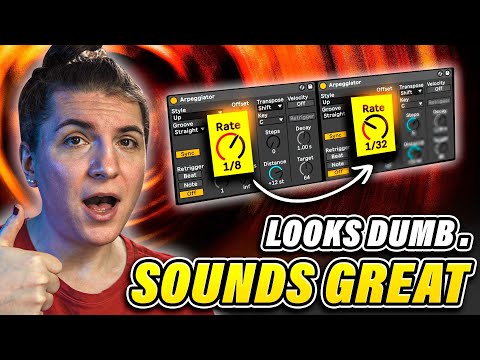
- Double Arpeggiator TechniqueCore ConceptLayer a second arpeggiator on top of a single arpeggiator applied to a chord to create dynamic effects.Configuration• Increase the gate length of the second arpeggiator • Set the rate of the second arpeggiator much higher than the first one • Adjust the rate around 32 to position it between both extremesCreative Applications• Create chiptune-style sounds • Generate fast arpeggios that drop together with the trackResultProduces rich, complex arpeggiated textures with layered movement.
- Humanized Percussion CreationInitial SetupUse a drum rack with an arpeggiator to create hi-hat loops with realistic humanization.Building Variation• Place arpeggiator at the first 16th note position • Copy a single note five times so each hit is slightly different • Duplicate the setup and set the second arpeggiator to random modeEnhancement TechniquesIncrease velocity randomness to add further natural variation and eliminate robotic qualities.TransformationConverts repetitive drum samples into humanized, organic-sounding percussion parts.
- Rhythm Jamming with Multiple RatesFoundationAdd arpeggiators to a drum rack with hi-hat samples to create layered rhythmic patterns.Rate Configuration• Set the first arpeggiator rate to 1/4 • Create three duplicate instances with rates set to 1/8 and 1/16Performance MethodPlay the different rate variations on a controller (like Push) and jam along with the track to create spontaneous rhythmic interactions.Musical OutcomeGenerates complex, polyrhythmic hi-hat patterns with multiple overlapping rhythmic layers.
- Epic Chord Draws with MacrosSound SelectionUse a rich, full-sounding preset as the foundation for creating dramatic chord effects.Arpeggiator Setup• Set arpeggiator to chord trigger mode to trigger chords • Remove the sync to allow independent control • Group all instances togetherMacro Mapping• Map rate to the first macro, ranging from 20 to 350 BPM • Map gate to the second macro, ranging from 20 to 100 • Optionally assign cutoff filter to a third macro • Add one long reverb and two delay effects (one longer, one fast) set to 20-30% wetDynamic ControlOpening the macro increases gate length and slows the rate for sustained effects; closing it accelerates the rate and shortens the gate for faster, more urgent textures.