5 Biggest Compressor Mistakes in 4 minutes
5 chapitres
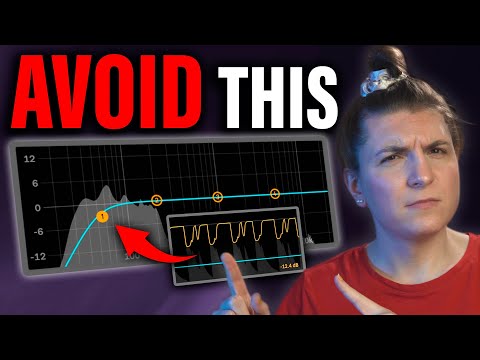
- Mistake 1: Over-Dominant Elements in Group ProcessingThe ProblemWhen compressing a group of elements, overly dominant elements (especially low and heavy ones like kicks) drive the compressor, causing imbalance in the overall mix.Why It HappensThe heavy low end of the kick is the sole element driving the compressor, preventing the group from compressing evenly together.The SolutionUse the pre-EQ feature available in most modern compressors to apply a high pass filter and cut the low end of the kick.Expected ResultThe group of elements becomes more balanced, and all elements drive the compressor together more evenly.
- Mistake 2: Neglecting Release Time on Dynamic SignalsCommon FocusProducers typically learn about attack time first because they want to protect transients, but often overlook the importance of release time.The IssueWhen release time is set too high or too medium, the compressor never fully releases, which destroys the transients of parts in the loop.When to AvoidAvoid medium to high release times when working with dynamic signals that contain important transients.Key InsightRelease time is equally critical as attack time for maintaining transient integrity in your mix.
- Mistake 3: Using Compression Without Clear PurposeThe TrapHoping that magical compressor presets will solve sound issues without understanding the actual purpose of compression.Common Use Cases• Increasing and decreasing dynamic range • Adding and removing punch and transients • Controlling loudness and mass processing • Gluing and coloring the soundBefore Using CompressionYou should have a specific purpose defined before applying a compressor to your sound.Creative UsesWhile creative and experimental use cases exist, these often work better with other types of effects before jumping to compression.
- Mistake 4: Forgetting Alternative Dynamic Processing ToolsOther Tools Available• Clippers for shaving clicky transients • Limiters for easier dynamic range limiting • Saturation and distortion for adding color • Maximizers for specific limiting purposesTool-Specific StrengthsCompressors are versatile and adjustable for different purposes, but other tools have specific purposes they're really made for and excel at.Decision FrameworkBefore automatically reaching for a compressor, consider whether a more specialized tool like a clipper, limiter, or saturation effect would be better suited.Efficiency GainUsing the right tool for the specific job often produces better results and is easier to use than forcing a compressor to do everything.
- Mistake 5: Overlooking Compressor AutomationUnexpected TechniqueAutomation of compressor parameters can be very handy, though some producers tend to abuse it.Creative ApplicationHeavy compression of drums on drops can give excitement to the track, creating dynamic variation between verse and chorus.Technical SetupSend drums to a return channel with heavy compression, slight EQ, and sidechain the kick to add groove and punch.Impact on MixAutomating compressor settings between sections adds excitement and dynamic interest that can elevate the overall production.