FL Studio 2024 INSANE AI Stem Splitter
5 chapters
- FL Studio 21.2 Update OverviewMajor Features• FL Cloud for sample library access with hundreds of thousands of samples • New mastering tool • New synthesizer • AI stem splitter toolTesting & AccessAll features are currently available in beta testing for FL Studio owners, with a link provided in the description to join and have input on feature implementation.Key HighlightThe stem splitter is the standout feature that enables users to separate audio tracks into individual components.Community EngagementBeta testers can influence how features are implemented and contribute to future development of the program.
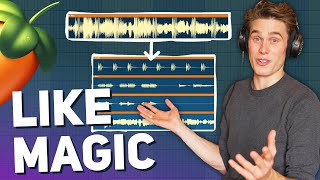
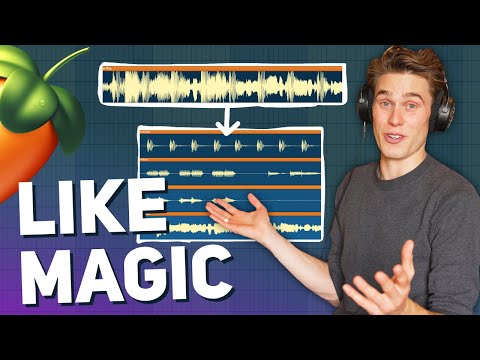
- Stem Splitter Basics & First DemoHow It WorksOne-click operation: right-click on a waveform, select 'Extract stems from sample', choose which stems to extract (drums, bass, instruments, vocals), and click extract.First TestA loop from FL Cloud containing kick drums, instruments, and baseline was successfully separated into individual stem components.Separation QualityThe separated stems sound high quality, though minor artifacts remain in the treble range, which is common across all stem separators.Inclusion ValueBeing bundled into FL Studio for free with lifetime updates is remarkable compared to premium software and online services previously required for this functionality.
- Vocal Track Separation & Practical ApplicationsFull Song TestA complete song with vocals was successfully split into drums, bass, instruments, and vocals, taking approximately one minute to process.Separation Capabilities• Excellent isolation of acapella vocals from the original mix • Strong instrumental separation for remixing purposes • Minor issues with bass attack and treble artifacts in some stemsCleanup TechniquesUsing FL Studio's Fruit Limiter with Noise Gate preset can effectively remove unwanted background noise or silence gaps in separated stems.Creative Uses• Analyze vocal processing and tonal balance techniques • Study drum programming and groove patterns • Learn production techniques from reference tracks • Create custom arrangements and remixes
- Performance Across Different Genres & Future PotentialGenre Testing Results• Excellent performance on samples and instrumentals • Strong results with rock, pop, and female vocal tracks • Slightly less effective with electronic music and male vocalsTechnical LimitationsMinor loss of transient attack in drums and some treble smearing, but timing remains perfect for programming or groove analysis.Learning Applications• Extract baselines to analyze pitch and timing patterns • Study vocal processing techniques from mixed tracks • Improve drum programming by learning from original grooves • Replace separated drums with custom samples while preserving timingFuture OutlookWithin a few years, the technology is expected to improve to the point where users can take a full mix and adjust individual stem levels as if all separated tracks were originally available.
- Beta Installation & FL Studio GiveawayBeta Installation NotesThe beta version downloads in parallel to the original FL Studio 21 installation, so it is important to back up project files before installing to prevent any potential issues.Giveaway Details• Three copies of FL Studio Producer Edition available • Fruity Edition users receive an upgrade to Producer Edition • Trial users receive an upgrade to Producer Edition • Producer Edition owners receive $99 in Image Line store creditEntry MethodJoin the free community Discord server linked in the description, navigate to the giveaway channel, and click on the reaction stickers to enter.CommunityThe Discord server hosts regular contests and competitions for like-minded producers and mixing engineers looking to connect and collaborate.