4 Killer Ways to Use Sequencers
4 capitulos
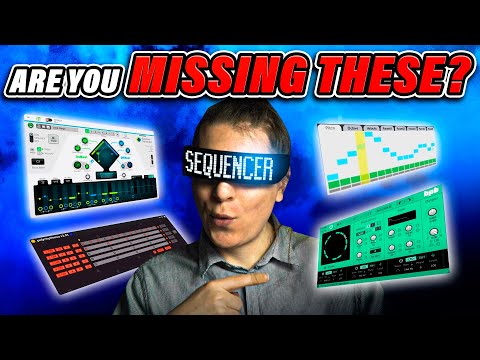
- Percussive Sequencing with PolyrhythmusConceptPolyrhythmus is a free Max for Live device that uses five different channels to create percussive sequences with customizable beat divisions.Setup• Each channel allows you to change the number of beats and length • Divide beats into fractions to create polyrhythmic patterns • Layer multiple samples using the same sequencer for different rhythmic purposesEnhancements• Apply effects to help sounds sit better in the mix • Map fading parameters to sequencer steps for dynamic control • Stack drum rack samples with complementary rhythmic timingResultCreates complex polyrhythmic textures that enhance and confuse the ambience while maintaining cohesive sound.
- Gated Sequencing TechniqueIntroductionGated Sequence is an audio effect that cuts sound on and off according to a sequenced pattern, acting as a gate.Control Options• Divide the gate into customizable step counts • Apply LFO or sample and hold to modulate the number of steps dynamically • Control gate envelope for additional sound shapingApplicationApply multiple gated sequences to different elements in a track to create rhythmic variation and interesting gate patterns.EffectProduces rhythmic stuttering and chopping effects on vocals or other sound sources with customizable gate patterns.
- Creative Sequencing with Reason RackSetup• Load an acid preset in Serum for aggressive sound source • Connect Reason Rack plugin as MIDI input to Serum • Select Baseline Generator from Reason Rack menuCustomizationBlend different preset variations from Baseline Generator and toggle individual notes on or off to shape the MIDI input sequence.Enhancement• Add Utility scale/chord plugins to constrain notes to specific scales like C Phrygian • Apply distortion and other effects to shape the final sound • Layer the sequenced acid sound with the main trackOutcomeGenerates aggressive acid sequences that add intensity and dynamic variation to the track.
- Advanced Sequencing with Razer Step SequencerPitch Control• Create pitch sequences using selectable scales like harmonic minor • Control octaves independently for each step • Adjust velocity for dynamic expressionParameter MappingAssign any synthesizer parameter to the sequencer to control cutoff, envelope, FM, and other settings on a per-step basis.Workflow• Map cutoff frequency to create filter sweeps across steps • Assign envelope to control amplitude dynamics • Use FM oscillator parameter for harmonic modulationPotentialEnables endless sound design possibilities by sequencing multiple parameters simultaneously, creating complex evolving textures with reverb and delay.