How To Slide Notes in FL Studio - Pitch Shifting
6 chapitres
- Introduction and OverviewTopic IntroductionThis tutorial covers how to slide notes in FL Studio using different methods including stock plugins, third-party plugins, and samples.Why It MattersSliding notes makes bass lines and melodies sound smooth and groovy, preventing them from sounding too static or boring.Methods Overview• Automation clips for pitch automation • FL Studio slide notes feature • Pitch bending on samples and WAV filesLearning GoalsLearn multiple techniques that work across different scenarios and plugin types to add professional pitch sliding effects to your productions.
- Automation Clip Method with SerumSetup Process• Enable the green cog to access pitch control • Select semitone range (3-4 for fills, 12 for full octave) • Create automation clip via right-click and left-clickKey TechniqueCopy the 50% neutral value at the start of each new note to ensure the pitch returns to the correct value regardless of automation movements.Fine-TuningUse the pitch wheel with Ctrl+click and zoom in with Ctrl+scroll for precise pitch adjustments and exact semitone placement.ResultCreate smooth, groovy pitch slides between notes that flow naturally within the beat and melody.
- Sample Manipulation with EnvelopeSample Preparation• Lower the attack • Increase the sustain • Lower the releasePurposeThese envelope adjustments ensure the bass stops playing when you release a key, creating clean note transitions.Sample ExampleUsing a long, single-note decap bass sample as a foundation for creating melody and basslines through pitch bending.FlexibilityThis method allows you to create complete melodies from a single-note sample by controlling pitch dynamically.
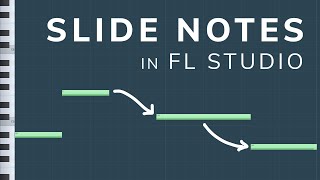
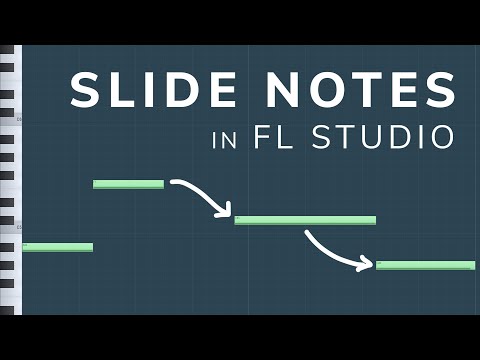
- FL Studio Slide Notes FeatureHow It WorksSelect the triangle note type in the top left corner to activate slide notes, which automatically glide between pitches.Duration Control• Duration of the original note determines slide speed • Longer notes create slower slides • Shorter notes create faster slides • The original note must be extended to control the hold timeAdvanced TechniquesUse the cut tool to create pitch effects like quick slides up followed by drops back down for creative melodic variation.LimitationsSlide notes work with FL Studio stock plugins and samples but are not compatible with third-party plugins.
- Stock Plugin and WAV ApplicationStock Plugin UseSlide notes work effectively on FL Studio stock plugins like Citrus, allowing smooth pitch transitions on pads and other instruments.Emotional ImpactSlides add human quality to music, similar to how real instruments like cello, violin, and guitar naturally slide between notes.WAV File MethodDouble-click the pitch band on WAV files and create automation clips to bend the pitch up and down just like with MIDI.Universal TechniqueStandard pitch modulation automation works consistently across WAV files, MIDI, third-party plugins, and stock plugins.
- Practical Applications and Finishing TipsWhere to Apply• Vocal chops • Lead melodies • Bass lines • Pad transitionsProfessional QualityWell-executed pitch bending brings lead instruments alive and sounds professional when done correctly and in tune with the song.Essential RuleAlways ensure pitch bends stay in key and in tune with your song to maintain musical cohesion and avoid dissonance.Key TakeawayLearning one solid pitch automation technique keeps your skills transferable and useful throughout your entire FL Studio production career.