Drum Programming - FL Studio Basics
6 chapitres
- Introduction to Drum Programming MethodsOverviewThis video demonstrates three fundamental methods for programming drums in FL Studio, each with different approaches to pattern creation and sample arrangement.Target AudienceThe tutorial is designed for beginners who have been using FL Studio for a few weeks or longer but haven't explored drum programming features yet.Three Methods• Channel rack method: create patterns and arrange them in the playlist • Direct playlist method: drag samples onto the playlist and arrange visually • FPC drum pad method: use the built-in drum machineKey ToolsFL Studio interface includes the mixer (F9), channel rack (F6), and playlist (F5) as essential components for drum programming.
- Channel Rack Method - MIDI Pattern CreationInterface SetupThe channel rack initially displays default samples (kick, clap, hat, snare). Users can expand the rack sideways to see sample names and create longer patterns beyond basic 1-4 bar loops.Pattern Creation• Left-click on beats to add samples, right-click to remove them • Use fill options (like 'fill each two steps') to quickly populate patterns • Adjust tempo by dragging the tempo control sliderPattern OrganizationRight-click in the pattern view and select 'split by channel' to separate individual drums (kick, claps, hats), giving more control over arranging each element independently in the playlist.Advanced FeaturesAccess the piano roll via right-click to change velocity values and create more complex rhythms with micro-timing adjustments using Alt+drag off the grid.
- Adding Custom Samples and OrganizationSample LibraryAccess samples through the browser by navigating to Packs section, which includes drum packs like those from Mode Audio. Drag and drop samples onto the channel rack or right-click to open a new channel.Channel Management• Right-click on channels to rename and assign colors for visual organization • Select a sample and mixer track, then press Ctrl+L to automatically send the channel and match its colorMixer IntegrationSend each sample to a dedicated mixer track (using the dropdown box in the channel properties) to enable individual processing and control of drum elements.Workflow EnhancementCreate organized patterns by naming them (e.g., 'drums' in red) and use color-coding consistently across both the channel rack and mixer to maintain project clarity.
- Direct Playlist Method - Sample ArrangementCore TechniqueDrag drum samples directly from the browser onto the playlist instead of using the channel rack. This method provides greater visual control and freedom in arranging drum elements.Channel Automation• Right-click the track and select 'Auto name clips' to automatically name all samples with the same label (e.g., all clips named 'kick') • Samples automatically appear in the channel rack's audio section for audition and mixer routingTiming PrecisionClose your eyes and rely on ears rather than the grid, as plug-in delay compensation can shift actual sound timing. Manually drag samples forward or back on the playlist until they sound perfectly in time.Preferred Use CaseThis method works best for most drum programming scenarios because it offers visual freedom and easy sample reuse, though piano roll velocity editing remains useful for complex hi-hat rolls requiring perfect timing.
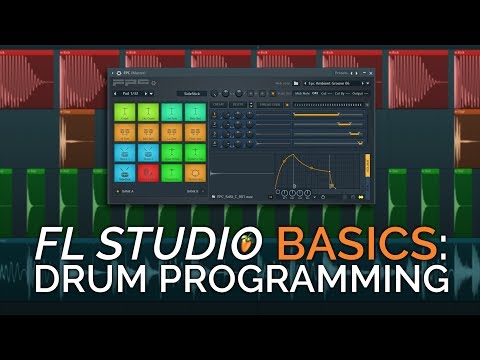
- FPC Drum Machine MethodIntroductionThe FPC is a built-in drum machine that contains drum pads loaded with complete drum kits. It can be controlled via MIDI keyboard, drum pad, or by drawing patterns in the piano roll.Kit Selection• Choose from preset kits like live drum sounds or electronic drum kits • Individual samples can be customized for tuning, panning, and volume • Multi-layer samples allow different velocities to trigger different versions (e.g., stick hit vs. full body snare)Pattern CreationCreate patterns and access the piano roll (F7) to draw drum notes. The piano roll displays all FPC samples as rows for easy sequencing, similar to the channel rack method.Advanced Organization• Create multiple patterns and use 'Make Unique' to create separate variations • Delete unwanted samples from unique patterns to isolate specific drums (e.g., one pattern with kick and snare, another with only hi-hat) • Layer multiple FPC instances in the playlist for complex drum arrangements
- Conclusion and Key TakeawaysMethod ComparisonAll three methods (channel rack MIDI, direct playlist, FPC) are valid approaches. Channel rack suits rigid patterns, playlist method offers maximum freedom, and FPC works well for those who prefer drum machine workflows.Personal PreferenceThe presenter primarily uses the direct playlist method for most work but still returns to the piano roll for detailed hi-hat programming. The FPC is powerful but not essential to every workflow.Best Practices• Stay organized with color-coding and naming conventions throughout the project • Always route samples to separate mixer channels for independent control • Trust your ears over visual grid alignment when timing drumsResourcesA free FL Studio template is available in the video description, providing a clean and organized mixer and playlist setup specifically designed for beginners.