FL Studio Drum Programming - Beatmaking Tips
5 capitulos
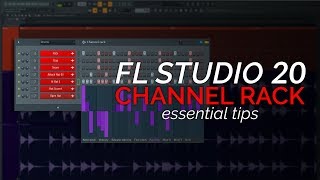
- Introduction and Basic Beat SetupChannel OverviewThe tutorial covers drum programming in FL Studio 20 using the channel rack to create beat patterns with three core elements: kick, snare, and hi-hat.Foundation Principle• Start with three or four really good samples • Keep it simple and basic initially • Get the core of the beat working right first • Avoid stacking tons of samples hoping it will sound goodWorkflow PhilosophyUsing a DAW should be a fluid process without grinding against the software or forcing your beat to work.Software ToolsFL Studio has slightly hidden features in the channel rack designed to help producers and aid their workflow.
- Advanced Fill Tool and Channel Rack FeaturesAdvanced Fill DiscoveryRight-click on a channel and select Advanced Fill to access a circular visualization tool that represents each orange dot as a sample triggering event.Creative Benefits• Visualize music theory behind the beat working in a circle • Quickly test multiple rhythm ideas • Rotate patterns after creating them • Accept and fill steps into the channel rack automaticallyQuick AdjustmentsAdjust velocities, pitch, and panning directly from the channel rack without jumping to the piano roll, making the process much faster.Velocity and Pitch Control• Pull velocity down on ghost snares to make them subtle • Change hi-hat pitch without entering the piano roll • Adjust fine pitch and panning from the channel rack • Create more human-sounding drums with velocity variations
- Sample Selection and QualityMindset ShiftProfessional producers curate and create drum kits that sound amazing, and using them doesn't mean your music sounds like theirs because you're only using their samples, not their melodies and chords.Quality Over Pride• Starting with bad samples puts you at a disadvantage • Good samples are inspiring and elevate your beats • Bad samples were the reason early beats sounded bad • Sample quality directly impacts the final soundRecommended ResourcesUse Splice for sample sourcing, purchase sample packs directly, or explore curated kits like the drums that knock pack by decap and professional sound banks.Integration StrategyCurated kits work well together because kicks, snares, and hi-hats are designed to groove together without sticking out from each other.
- Learning from Existing Beats and DeconstructingDeconstruction MethodCopy drum loops you find in sample packs or music to learn where the kick, snare, and hi-hat are positioned, either by ear or by zooming in on the waveform.Learning Process• Place kicks, snares, and hi-hats manually into your pattern • Build the backbone of the beat step by step • Adjust velocities to refine the rhythm • Add background noise and other instruments graduallyMusic Theory ConnectionLearning drum patterns is actually learning music theory because you're gaining a deep intuitive understanding of timings and rhythms through study and analysis.Foundation BuildingLearning how existing beats work teaches you the fundamentals and prevents you from having to reinvent drum programming from scratch.
- Practice, Experimentation, and Unfinished BeatsPractice PhilosophyHaving unfinished beats is completely okay because you need time and space to practice beat making and different techniques without the pressure of having to release everything.Learning Without Release• Unfinished beats are like practice brushstrokes in painting • Experimentation helps you learn techniques • You don't have to release everything you create • Not all practice work needs to be polished and releasedBalance and PreferenceSome producers benefit from the pressure of finishing beats while others need freedom to experiment, so finding what works for you is important.Quantity vs QualityRather than accumulating hundreds of unfinished songs, focus on intentional practice and deliberate experimentation to develop your beatmaking skills.