How To Sidechain in FL Studio 20
4 capitulos
- Introduction to Sidechain BasicsWhat is SidechainSidechain is a technique where one instrument's volume is reduced when another instrument plays, typically used with kick and bass to create space and rhythm.Common Applications• Kick and bass interaction (most common) • Snare to guitar • Super saw ducking • Any sound can be sidechained to any otherTwo Methods PreviewThe video covers two simple sidechain techniques: using Fruity Limiter and using Gross Beat plugin.Setup RequirementsYou need to send both the kick and bass to unique mixer channels before implementing sidechain effects.
- Method 1: Fruity Limiter SidechainSidechain Connection• Right-click on the arrow at bottom of the target channel (bass/sub) • Select 'sidechain to this track' to connect the trigger source (kick) • A green cable indicates the connection is established • Keep the volume dial at 0 to send only waveform informationPlugin SetupLoad Fruity Limiter from the Dynamics section in the effects chain of the channel being sidechained (sub/bass).Compression Configuration• Right-click sidechain input in compression section and select the kick • Lower the threshold and raise the ratio/knee until sidechaining becomes audible • The volume reduction from the sub will become visibly apparentFine-tuning Parameters• Adjust attack, release, sustain and other dials to match your song's rhythm • Avoid making release time too short to prevent distortion • Listen to the entire mix while adjusting to ensure it works with the overall sound
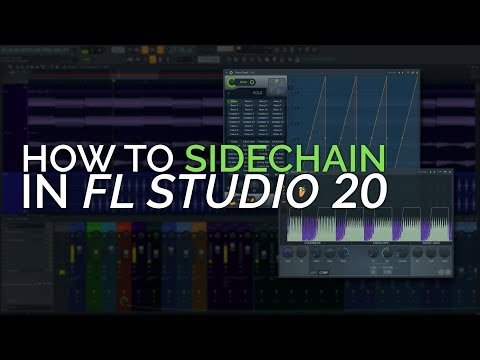
- Method 2: Gross Beat SidechainPlugin OverviewGross Beat is a shortcut method effective for four-on-the-floor rhythms and repeated kick patterns, found in the miscellaneous section of plugins.Quick Setup• Add Gross Beat to an effect slot on the channel to be sidechained • Select the 'sidechain' preset from the volume manipulation section • The pumping effect is immediately audible on the audio signalCustomization Options• Right-click on curve points to reset them • Drag points around to tailor the effect to your desired sound • Use the volume dial for wet and dry blending (0-100) • Adjust attack, release, and tension dials to shape the effectMixing Considerations• Start by listening in solo but always check the effect in the full mix context • Clicks, pops and artifacts may be masked when the kick plays over them • Listen to everything together to ensure the sidechain sounds natural in your song
- Closing Tips and FlexibilityCreative Applications• Sidechain can be applied to entire bass channels or subgroups • Use any trigger sound (snare, shaker, guitar) instead of just kick • Different instruments work great in different musical situationsArtifact ManagementClicks, pops and sucking sounds are not always problematic when heard in full mix context, as they are often masked by other instruments.Importance of ContextAlways listen to the entire mix together when sidechaining to accurately evaluate how the effect works with your song's rhythm and overall sound.SummaryBoth methods provide simple, effective ways to sidechain in FL Studio 20, with Fruity Limiter offering more control and Gross Beat providing quick preset-based solutions.