Are You Using This EQ Trick? Left and Right Channel EQ
5 capitulos
- Introduction to Left/Right EQTopic OverviewAn advanced EQ technique that is often overlooked but extremely helpful in certain mixing situations.Key Requirements• Works in any DAW • Requires EQ plugins that support left/right channel processing • Not all EQ plugins support this featureTools Demonstrated• iZotope Ozone 9 Equalizer • TR V EqualStandard vs SpecializedTypical stereo EQ affects both left and right channels together, while left/right EQ allows independent processing of each channel. Mid/side EQ is another alternative mode available on most EQs.
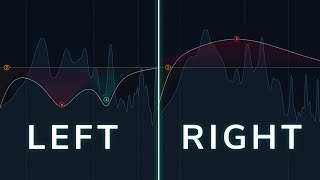
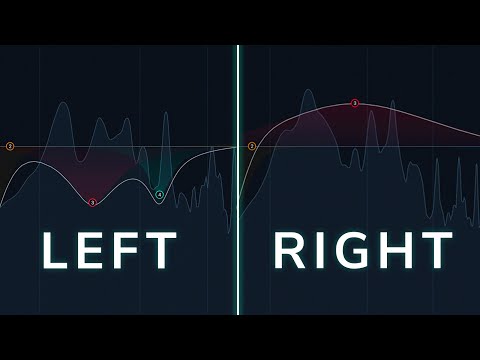
- Problem Solving with Guitar RecordingRecording IssueA guitar was recorded with two microphones (one on the body, one on the frets) and panned 60-70 percent, resulting in bass in the left channel and high-end brightness in the right channel.Problem Impact• Lacks cohesion and unified sound • Sounds too wide and phase-y • Does not sound like one coherent guitarSolution StrategyUse left/right EQ to balance the channels by removing bass from the left channel only while keeping the high-end brightness on the right channel.Practical Steps• Solo the left channel and cut bass frequencies • Apply high-pass filter to remove unwanted low end • Solo the right channel and make minor adjustments as needed
- Results and Phase ConsiderationsBefore and AfterThe EQ processing makes the guitar sound less wide and more cohesive, creating a unified and natural tone compared to the original spacey recording.Phase Concerns• Use a linear phase EQ if phase accuracy is a concern • Listening to your work in mono helps verify compatibility • What sounds good is more important than theoretical phase perfectionMono Compatibility CheckTest the processed sound in mono using your mixer or a free plugin like B X solo to ensure the changes maintain quality across different listening systems.Key TakeawayEven though the EQ technically affects phase, the result sounds far less phase-y and more unified than the original recording.
- Creating Fake Stereo WidthMono to Stereo TechniqueConvert a mono signal to artificial stereo by boosting different frequencies on each channel to mimic how an acoustic guitar naturally projects sound.EQ Settings• Left channel: boost around 100 Hz for bass warmth • Right channel: gentle boost across the high end for brightness • Creates the illusion of guitar body and strings positioned differentlyAdvantages Over PluginsLeft/right EQ can be more natural than stereo widening plugins, especially on acoustic guitar, avoiding the chorus-like effect that some plugins introduce.Creative ApplicationApply this technique to any mono signal where you want subtle, natural-sounding width enhancement rather than aggressive stereo effects.
- Additional Use Cases and GiveawaySynthesizer FixesUse left/right EQ to remove odd harmonics or unwanted effects on individual sides of synthesizer pad and key sounds when you cannot adjust the synth itself.Vocal ProcessingProcess backing vocal stems by targeting sibilants on one side (around 4-5 kHz) to fix imbalances without affecting the entire vocal stack.Versatile ApplicationThe technique works across any sound or instrument - think outside the box and apply it to synthesizers, vocals, drums, or any stereo source.Channel GiveawayFL Studio 20 Signature Edition is being given away to one viewer who comments their favorite EQ tips and tricks in the comments section.