Slate Digital VMR 2.0 Review and First Look
9 capitulos
- Why I Use Slate Digital PluginsPlugin PhilosophyThe presenter uses analog-style plugins alongside surgical, analytical, and digital plugins for a balanced mixing approach that combines creative freedom with technical precision.Company Overview• Slate Digital makes a variety of plugins including the VMR (Virtual Mix Rack), a 500 series drag-and-drop module-based mixing strip • Plugins are designed well, sound amazing, and look visually stunning • Features modules for compression, hue/saturation, harmonic excitement, and console emulationSubscription ValueAt $14.99/month or £10, subscribers get the VMR plus access to all Slate products including the Virtual Tape Machine, Repeater delay, Verb Suite, Virtual Buss Compressor, S Gear amplifier simulation, Oceanus II equalizer, and FGX mastering processor.Affordability AdvantageThe subscription model makes professional plugins accessible to beginners and those on a budget, compared to competitors charging £100-200 per individual plugin.
- Design and Creative EnjoymentStudio Design PhilosophyThe presenter and Brad designed the studio to be creative, enjoyable, and a nice happy environment with wood-effect acoustic panels and plants to inspire creativity.Musical ExperienceUsing Slate plugins makes the mixing process feel really musical, creative, and free, contributing to overall job satisfaction and health in audio work.Skill Over EquipmentThe presenter emphasizes that 99% of improvement comes from putting time, effort, and determination into the craft, not from acquiring the newest plugins.Personal Plugin SelectionThe presenter found a set of plugins that works for them—ones they like looking at, enjoy using, and can get good results from—rather than constantly chasing new gear.
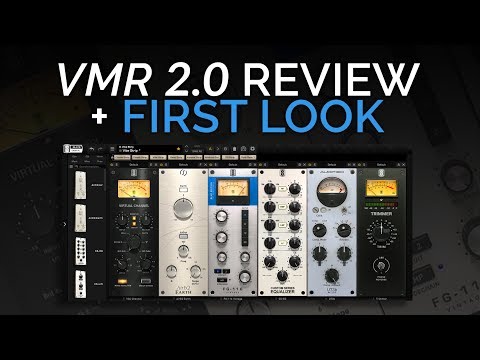
- VMR 2.0 Interface and FeaturesModule SystemThe VMR uses a 500 series drag-and-drop design where signal flows through different effect modules in sequence, keeping the effects chain compact and organized.New Version 2.0• Side strips changed from wood effect to metal for a darker, more modern look • New categorization feature to filter modules by type: dynamics, equalizers, harmonics, and mastering preamps • Dream Strips feature for saving custom module configurations as quick-load presetsAvailable Modules• Compressors: 1176 emulation, de-esser from Empirical Labs • Equalizers: British-style EQs, SSL-style EQs with different colors and flavors • Other modules: Harmonic exciter, filters, tube emulations • Reverb and delay handled by separate Verb Suite and Repeater pluginsWorkflow AdvantagesEasy drag-and-drop functionality, Alt+drag to duplicate settings, mute buttons to hear effects on/off, X button to delete modules, and the ability to run multiple different EQs and compressors in sequence.
- Audio Examples - Drums and BassDrum Bus ProcessingUsing a drum bus preset that tightens and punches the drums, with gain staging adjustments needed before and after the compressor to maintain proper levels.Processing ResultsThe preset pulls up the overall level and can make the snare drum sound very bright, requiring adjustment of high frequencies if the brightness is excessive.Sub Bass EnhancementA 60 Hz sub EQ preset adds a huge amount of bottom-end with slight saturation, significantly boosting the low-end presence.Listening MethodThe presenter demonstrates A/B comparisons by activating and deactivating effects to hear the differences, ensuring proper gain matching for fair evaluation.
- Reverb, Delay, and Vocal ProcessingReverb ApplicationOn the vocal track, a plate reverb combined with a small hall reverb creates space and depth in the vocals.Delay EffectsTwo delay settings from the Repeater plugin—one very quick and another artistic-sounding delay—add rhythmic interest and texture to the vocals.Spatial EnhancementThe reverb and delay together create a sense of space and atmosphere around the vocal, making it sit nicely in the mix.Effect CharacterThe delays and reverbs from the Repeater plugin are noted for their unique, artistic quality that adds character beyond basic spatial effects.
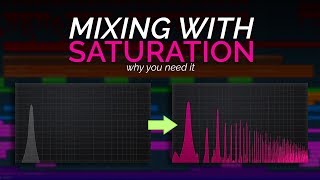
- EQ Techniques and Sonic TweakingEar-Based ApproachRather than using graphical displays, the presenter selects a frequency and boosts or attenuates it by ear until the sound is right, focusing on audio quality over visual feedback.EQ Comparison• Custom series EQ and British EQ have completely different profiles and sonic characteristics • Each EQ type offers unique coloration and flavor for different sourcesA/B Testing MethodThe presenter toggles effects on and off with eyes closed to fairly judge whether changes improve the sound without visual bias influencing the decision.Saturation AdditionAdding saturation to the atmosphere track makes it more crunchy and crispy on the edges, adding subtle grit and character without obvious distortion.
- Module Organization and CPU EfficiencyModule GrowthThe VMR started with four or five modules but now includes many more, prompting the addition of the categorization tab to keep everything organized.Dream Strip CustomizationUsers can create custom presets and save them as Dream Strips, allowing quick-load configurations for commonly used module chains like vocal tracking setups.CPU PerformanceThese plugins are very low on CPU usage, allowing the presenter to load multiple EQs and compressors without the computer grinding to a halt like it would with stock or other third-party plugins.Creative FreedomThe efficient CPU design enables free experimentation with any configuration of modules until finding the desired sound, rather than being limited by processing power.
- Plugin Philosophy and Analog vs. DigitalBalanced ApproachThe presenter still uses parametric EQ for carving frequencies and digital compressors for sound design, but prefers analog-style plugins for mixing enjoyment and ear-based work.Mixing EnjoymentAbout 90% of the time, the presenter approaches mixing creatively and for fun, even though videos often show serious, surgical, and scientific techniques.Personal PreferenceSome people prefer surgical, analytical mixing tools with digital displays, while others prefer analog-style interfaces—neither approach is right or wrong.Skill Development LoopUsing inspiring plugins leads to more enjoyment, which motivates continued work and skill improvement—actual skill development, not just equipment acquisition, drives improvement.
- Business Model and Final ThoughtsPricing StructureSlate Digital uses a single subscription tier where all customers pay the same $14-15 per month and get every plugin—no diamond, platinum, bronze, or gold levels.Value PropositionEven if you don't use every plugin like the guitar amplifier, the subscription offers so much content that the value is justified for the monthly price.Gratitude for InnovationThe presenter expresses thankfulness to the Slate team for creating plugins that improve workflow and job enjoyment, recognizing the remarkable advancement in computer capabilities and programming.Recommendation StanceThe video hopefully explains why the presenter uses and loves these plugins, while acknowledging that if others enjoy different plugin styles, those are the ones they should use instead.