How To Make Groups and Bus Channels In The Mixer - FL Studio Basics
8 capitulos
- Introduction and OverviewWelcomeIntroduction to a tutorial on creating bus and group channels in FL Studio mixer.Video Structure• Demonstration of how to make buses or group channels • Explanation of why you might want to use them • Discussion of what control this gives you in mixing contextExample FocusTutorial will demonstrate grouping drums, though the technique applies to any instrument type like keys, bass, or synths.Getting StartedReady to begin the step-by-step demonstration.
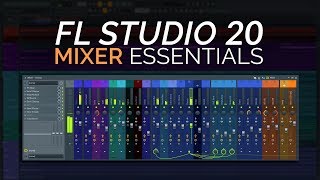
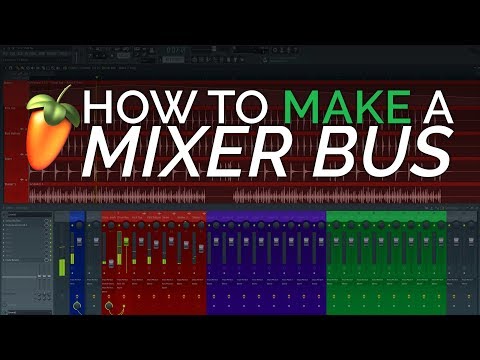
- Creating and Routing a Drum BusCurrent SetupIndividual drum channels include kick top, kick bottom, snare, and shakers, each sent to different mixer channels initially routed to the master.Creating the Bus• Create a new bus channel or drag one from the side panel • Rename it to 'drum buss' • Color it the same as the drums for organizationRouting Process• Select each drum channel • Click the arrow on the channel • Right-click and select 'route to this track only' • Repeat for all drum channels to send them to the drum busResultAudio from individual drum channels flows to the drum bus, which then feeds to the master, allowing control of all drums from a single channel.
- Understanding the Audio FlowStream AnalogyIndividual channels are like small streams of audio that join together into a river, representing the bus channel.Complete Signal PathAudio streams flow into specific buses like drum bus, instrument bus, and bass bus, which then all feed into the master as the final destination.Critical SettingSelecting 'route to this track only' ensures audio goes only to the bus, not to both the bus and master, preventing audio leakage.Volume ControlLowering the drum bus volume simultaneously reduces the volume of all grouped drums together.
- Common Pitfall and CorrectionThe MistakeSending a channel to the bus without selecting 'route to this track only' causes it to feed to both the bus and the master simultaneously.ConsequenceIf the bus volume is lowered, the channel still passes through to the master, defeating the purpose of the bus grouping.How to AvoidAlways use the right-click option 'route to this track only' when sending channels to a bus.VerificationTest by pressing play and confirming that lowering bus volume reduces the grouped instrument volume.
- Benefits of Bus Channels for MixingTop-Down Mixing• Start mixing from bus level first before diving into individual tracks • Quickly identify if entire drum or bass sections are too loud or quiet • Pull whole bus down or up instead of adjusting each channel individuallyTime SavingApplying EQ or processing to an entire bus instead of individual tracks reduces setup time and avoids redundant adjustments across multiple channels.Flexibility and Control• Easy application of effects like reverb to entire drum section • Quick filter sweeps or automation on grouped instruments • Consistent processing across related soundsProcessing PowerUsing fewer VST instances on bus channels instead of on each individual channel reduces CPU load and improves computer performance.
- Practical Application: Drum Bus EffectsReverb Example• Create a dedicated reverb insert channel called 'drum reverb' • Send signal from the drum bus to this reverb using 'route to this track' • Lower the volume for controlled reverb amount • Adds cohesion and room presence to entire drum kitEQ on BusApply Fruity Parametric EQ to the drum bus to control overall frequency balance and prevent low-end buildup from reverb.Filter Automation• Create automation clips on the drum bus EQ • Perform filter sweeps on entire drums simultaneously • Achieve creative effects like gradually opening or closing drum frequenciesAdvantageApply effects and automation to grouped sounds once instead of recreating them individually on each channel.
- Advanced Mixing Techniques with BusesProfessional Workflow• Identify instruments into broad categories like drums, synths, bass, and effects • Send all channels in each category to their main bus • Apply processing directly on buses for cohesive soundContext PreservationMixing within buses provides better context than soloing individual instruments, helping you judge overall balance and energy in the mix.Advanced Techniques• Parallel compression on drum bus • Quick frequency correction to entire sections • Automated volume rides on bus level during different song sectionsEfficiencyMake significant mixing adjustments by moving a single fader or automation point rather than editing multiple individual channels.
- Conclusion and SummaryKey TakeawayBus channels simplify mixing workflow and make it easier to manage multiple related instruments together.When to UseCreate buses for drums, instruments, bass, and other logical groupings when working with multitrack sessions.Overall ImpactBus channels provide significant improvements in mixing speed, context awareness, CPU efficiency, and creative flexibility.Final ThoughtUsing buses from the start of a mix is a fundamental professional mixing practice that yields better results.