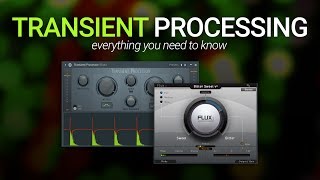
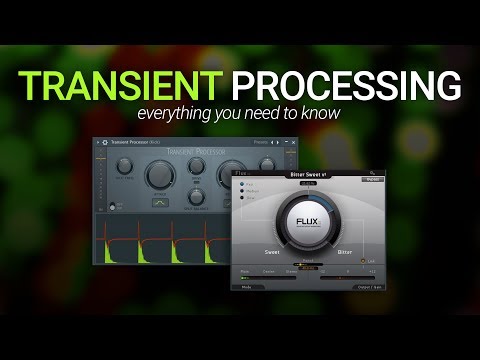
Transient Processing - Everything You Need To Know
10 capitulos
- Introduction to Transient ProcessingWhat is a TransientA transient is the short change in sound level at the start of a sample, such as the beginning of a kick drum, snare, or the start of a word in a vocal.Processing Goals• Make the transient jump up more quickly and be sharper or spiky • Round off the transient, remove energy, and make it sit further back in the mixAvailable Tools• Advanced plugins with multiple controls (some requiring paid upgrades) • Simple free options like Bittersweet with minimal dialsKey AdvantageTransient processing offers a simpler alternative to compression when you need quick sample adjustments without endless tweaking.
- Attack and Release ParametersUnderstanding AttackThe attack dial controls energy at the start of the sample, adding more energy when turned right and removing energy when turned left.Understanding ReleaseThe release parameter looks at the end of the sample where decay happens, either pulling up the decay or subduing it to change how punchy or roomy the sound is.Sound Characteristics• Increased attack and release make the kick sound punchy, tight, and close • Decreased settings make the kick sit back in the mix and groove with other elementsPractical ImpactThese settings can make a kick drum sound 3D and present or allow it to blend smoothly with bass and other instruments in the mix.
- Simplicity Over CompressionCompression ChallengesWhen using compression, beginners often struggle with adjusting ratio, attack, release, and other parameters, sometimes going down endless rabbit holes without achieving desired results.Transient SolutionA transient processor can achieve similar sound shaping results by tweaking just one dial, getting you close to the desired sound much more quickly.Sound Shaping RangeA single transient plugin can provide a wide variety of ways to shape sound that would normally require adjusting sample attack and release envelopes plus compression.User ExperienceMany beginners find transient processing opens up huge possibilities as it simplifies compression-like tasks into an intuitive, faster workflow.
- Versatile Applications Beyond DrumsRoom Mic EnhancementTransient processing can adjust reverb decay by controlling the release to make ambience bigger or tighter, allowing you to clean up or add fullness to simulated room mics.Dynamic AdjustmentRelease adjustments can be used across different song sections, keeping verses clean and then adding energy during choruses by pulling up the release slightly.Recorded InstrumentsFor guitar or bass recordings, transient processing can manipulate the sound without needing to re-record, allowing you to modify characteristics like tone and sustain.Compression AlternativeTransient processing is often easier to use than compression for quick sample adjustments and can be faster than spending time tweaking compressor settings.
- Bittersweet Plugin DemoPlugin DescriptionBittersweet is a transient processor where Bitter means more spiky and transient-focused, while Sweet means more smoothed off and rounded.Drum Bus EffectsWhen applied to the whole drum bus, the plugin makes drums more spiky and aggressive, or allows them to sit further back in the mix depending on the setting.Notable ImpactThe effect is especially dramatic on snare drums, making them sound pokey and tight, effectively tightening up the overall drum sound.Tom Drum UsageOn tom drums, the plugin can dramatically reduce ambience and make the drums sound much tighter and more punchy when adjusted properly.
- Finger Slides and Subtle DetailsThe Slide IssueRecorded bass and guitar often contain finger slides between notes where fingers move to the next position, which some producers love and others find distracting.Processing Options• Transient processing can act like a gate to remove slides entirely • It can act like volume automation to push up and exaggerate the slidesRelease ControlPulling the release down makes slides disappear, while increasing the release exaggerates them for more presence and character.Production ChoiceWhether to remove or enhance slides depends on your production style and how tight you like your edits, with slides adding human element and warmth when kept.
- Advanced Plugin FeaturesCurve SettingsThe curves can be gentle or sharp and steep depending on the sample, allowing the attack curve to react differently to different audio material.Split FrequencyThe split frequency separates the signal into low pass (unaffected by processing) and high pass (affected by transient processing) to handle different frequency ranges independently.Subwoofer ProtectionSplit frequency prevents low subby energy from being spiked up and down, keeping the low-end steady and consistent while allowing the top end to be more transient.Drive and SaturationThe drive parameter adds saturation that can smooth out attacks that feel too clicky or digital, making the sound smoother while adding character.
- Split Balance and Gain ManagementSplit Balance ControlThe split balance allows you to adjust the ratio between high and low frequency signals, controlling how much each band is affected by the transient processing.Frequency Isolation• 100% dry setting isolates low frequencies below the split point • 100% wet setting isolates high frequencies, removing low-end entirelyOutput Gain AdjustmentAdjusting the output gain ensures the processed and unprocessed signals are at the same volume, allowing for accurate A/B comparison when bypassing the plugin.Perception PreventionMatching input and output levels prevents the processed version from sounding better simply because it's louder, helping you make honest decisions about which sounds actually better.
- Signal Flow UnderstandingSignal Path OverviewThe signal enters, gets split at the split frequency, with low pass energy unaffected and high pass energy going through transient processing and saturation.Processing OrderSaturation happens after transient processing and only affects the high pass signal, which is important to understand for accurate sound shaping.Visual RepresentationHaving the signal flow chart easily visible helps you understand what's happening under the hood of the plugin and saves time in decision making.Knowledge BenefitUnderstanding the signal flow allows you to anticipate how adjustments will affect the sound and make more informed processing choices.
- Final Advice and ConclusionWhy Beginners Should Learn ItTransient processing is another great option that doesn't look complicated or flashy but can save significant time compared to struggling with compression as a beginner.Professional ApplicationEven experienced producers sometimes spend 5-10 minutes trying to achieve compression results when they could quickly use a transient processor instead.Quick Problem SolvingWhen searching for fullness and thickness in a sound, pulling up the release on a transient processor can provide the desired result faster than compression tweaking.Takeaway MessageTransient processing is a quick, simple, and often overlooked technique that can make a drastic difference to your sound with minimal learning curve.