Use THIS Compression Trick For BETTER Low End
6 chapters
- Introduction to Compression FeatureTopic OverviewA demonstration of an often overlooked compression feature useful for production, mixing, and mastering.Universal Application• Works with free compressors like CamelNikov • Compatible with analog and digital modeled compressors • Available on most compressor pluginsKey Benefits• Prevents unnatural pumping effects • Works more naturally with song groove • Especially useful for signals with heavy low endIdeal Use Cases• Drum busses • Full mixes • Close-miked acoustic instruments
- Problem: Low End OverloadThe IssueThe compressor gets triggered excessively by kick drums and bass frequencies, causing heavy compression across the entire track.Visible Impact• Compression kicks in heavily with every kick drum hit • Track gets squashed down significantly • Compressor struggles to recover naturallyRoot CauseThe compressor's detection circuit listens to all frequencies equally, making it overly sensitive to dominant low-end signals.ResultThe compressor loses its natural feel and prevents the groove from sounding balanced.
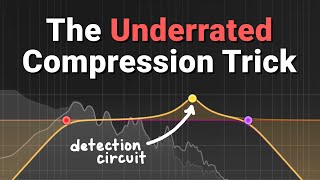
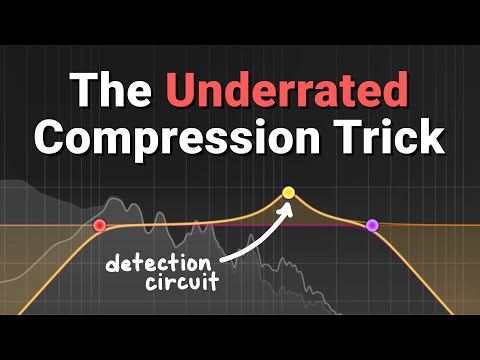
- Solution: Sidechain FilteringTechnical ExplanationCompressors have an original signal and a detection circuit (sidechain). Filtering the detection circuit allows selective frequency triggering while compressing the full signal.How It Works• The detection circuit is a duplicated signal that determines compression • A filter applied to the detection circuit rolls off unwanted frequencies • The compressor still compresses all frequencies, but listens only to filtered frequenciesPro C2 ExampleThe Pro C2 compressor includes a visual filter display in the sidechain section and an audition button to hear what the compressor detects.ResultAll drum elements trigger compression more equally, allowing the drum groove to work naturally with the compressor.
- Implementation Across PluginsFilter Naming• Pro C2: Called 'Filter' • CamelNikov: Called 'Low Frequency Relax' • Most plugins: Typically labeled 'Filter'Technical DetailsA high-pass filter in the sidechain that rolls off low-end frequencies. CamelNikov allows slope and frequency customization but is less visual than Fab Filter.Common MisconceptionThe filter does not allow bass to pass through uncompressed. It only changes what the compressor listens to for triggering, while still applying compression to all frequencies.Distinction from MultibandUnlike multiband compression which compresses specific frequency bands separately, sidechain filtering is a single-band compressor listening to selected frequencies and applying compression across the full spectrum.
- Practical ApplicationsMastering Use CaseInstead of low-end frequencies triggering compression on the entire mix, the overall mix can trigger compression more evenly.Acoustic Guitar ExampleThe melody can trigger compression instead of low bass notes controlling the compression amount throughout.Drum Bus ApplicationWhen drums become faster or more complex, sidechain filtering becomes increasingly effective at maintaining groove and punch.Overall ImpactSmall adjustments across multiple tracks accumulate to transform a weak-sounding mix into one with proper impact and clarity.
- Conclusion and ResourcesKey TakeawayUsing sidechain filtering on compressors allows for more balanced, natural-sounding compression by preventing low-end overload.Best Practices• Apply this technique across multiple stems and tracks • Listen for improved punch and groove in drum busses • Use audition features to hear what the compressor detectsVideo FormatThe creator is testing shorter-format video style and welcomes feedback from viewers.Additional Opportunities• Community remix competition available • Channel memberships and Patreon active for monthly live streams